Ford’s Auto Start/Stop relies on a Battery Management System sensor that disables the feature if it detects under 75% charge, even after a new battery install.
You reset it by disconnecting the negative terminal for 5-15 minutes, then performing a quick ignition-hazard-brake sequence. Get this right, or you’ll chase endless warnings.
Quick Navigation
Key Takeaways
- Verify Auto Start-Stop is enabled and the dash Start-Stop Off indicator is not illuminated.
- Fully charge or test the 12V battery and replace with an AGM/equivalent if weak, then perform BMS relearn/reset.
- Inspect and clean battery terminals and wiring, reconnect positive first, then negative to ensure solid connections.
- Use an OBD-II scanner to read/clear related DTCs (e.g., P2796) and check BMS, transmission, or sensor fault codes.
- If issues persist, reset per Ford procedure (charge battery, lock vehicle to sleep, perform key/flashers/brake sequence) or seek dealer diagnostics.
Understanding Auto Start/Stop Functionality
Ford’s Auto Start-Stop feature boosts fuel efficiency by shutting off your engine at complete stops, like traffic lights, and restarting it when you release the brake pedal.
Ford’s Auto Start‑Stop saves fuel by shutting the engine at full stops and restarting when you release the brake.
You’ll see feature benefits as reduced idle fuel use and lower emissions, but the system only activates under precise conditions: vehicle speed below about 3 mph, brake depressed, adequate battery charge, and proper engine temperature.
It can temporarily disable itself in heavy traffic, low battery voltage, or when climate demands more power, which affects the user experience and can cause confusion.
Resetting the BMS after a new battery and checking DTCs helps troubleshoot persistent faults.
Common Reasons for Auto Start/Stop Malfunctions
When Auto Start‑Stop doesn’t engage, the cause is usually a measurable system condition rather than random failure: low or poorly conditioned battery voltage can force the Battery Management System to inhibit stops, sensor or software faults (including brake‑pedal switch, hood latch, or PCM logic) can block the sequence, and environmental or operational limits, cold engine, extreme ambient temperatures, high accessory load, or vehicle speed/gear thresholds, will intentionally prevent shutoff to protect drivability or emissions control.
Common malfunctions include inhibited stops from low battery state-of-charge, failed BMS calibration after battery replacement requiring a reset, DTCs (e.g., P2796) indicating battery or circuit faults, and sensor or software failures that show during system diagnostics.
Role of Battery Management System in Operation
Because the Auto Start‑Stop system can only permit engine shutoffs that won’t harm the electrical system, the Battery Management System (BMS) continuously evaluates battery state‑of‑charge, temperature, internal resistance and learned capacity and will inhibit stops if those parameters fall outside safe limits.
You’ll need a BMS reset after installing a new battery so the system relearns capacity and applies BMS calibration techniques; perform the reset with the battery fully charged to guarantee accurate battery health indicators.
Resetting clears learned data, lets the BMS adapt for aging, and prevents premature Auto Start‑Stop disabling due to misreads.
Activation Conditions for Proper Feature Engagement
Although Auto Start‑Stop can shut the engine at a halt, it only engages when a strict set of conditions are met so you won’t get unexpected stops or failed restarts.
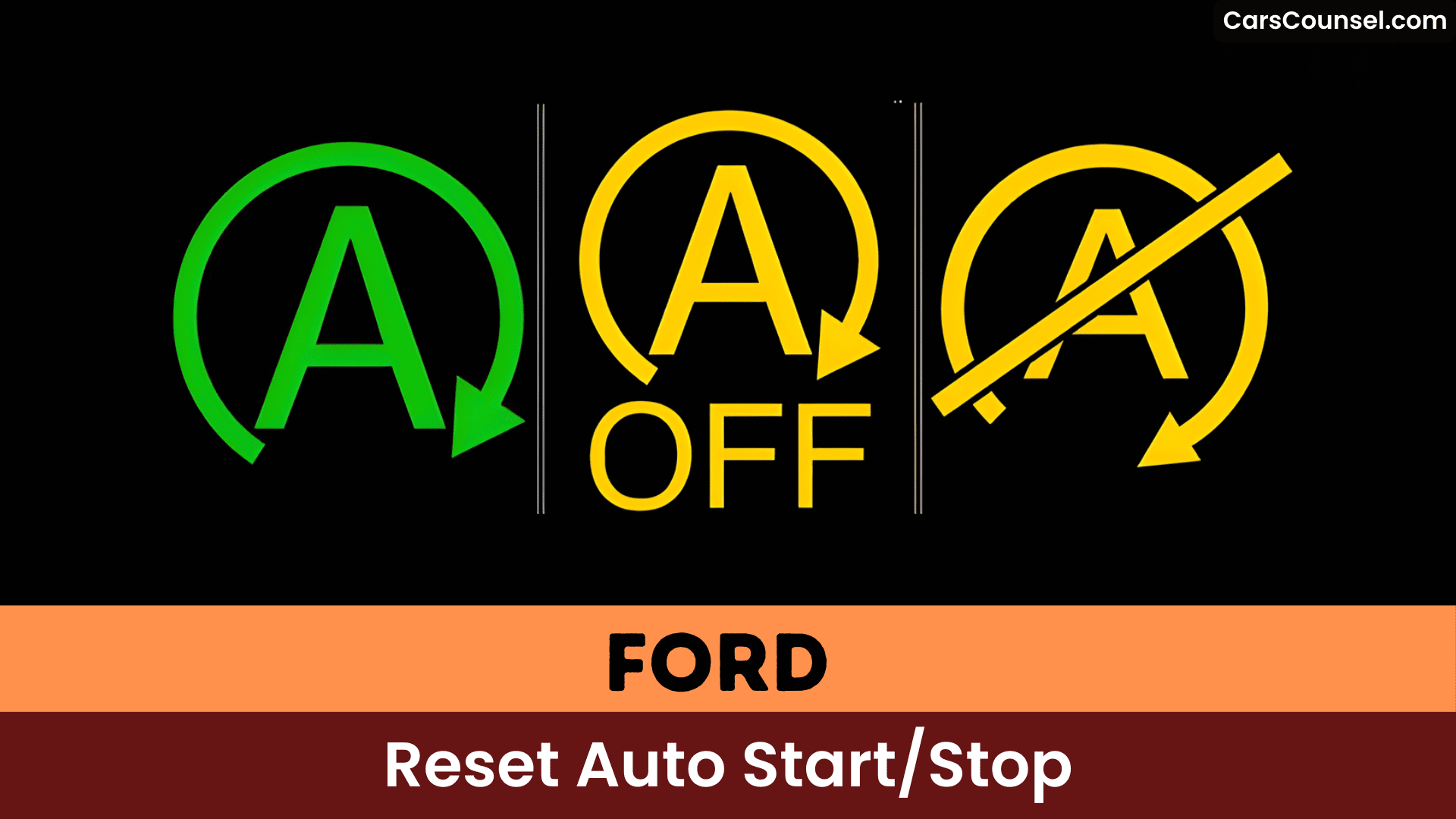
You’ll see the green light when the engine’s stopped and grey when conditions aren’t met.
Activation requires vehicle speed below about 3 mph, brake applied, transmission in Drive, sufficient battery charge and normal engine temperature; low voltage or cold engine will inhibit the feature.
The system won’t always operate in heavy traffic or extended low‑speed driving, so communicate feature limitations to manage user expectations.
Automatic Restart Triggers and System Responses
You’ll see the engine automatically restart when common triggers occur — releasing the brake, pressing the accelerator, or shifting the transmission out of Drive — so the vehicle is immediately ready to move.
Safety and comfort conditions like an unfastened driver seatbelt, an open driver door, active climate-control demands, or exceeding the system’s maximum allowed off time will also force a restart to preserve occupant safety and interior functionality.
These automatic responses prioritize drivability and system limits, not driver preference, so reset procedures should account for each trigger type.
Restart Triggers
When the auto start/stop system restarts the engine, it’s responding to a defined set of restart triggers that prioritize drivability and safety, such as releasing the brake or pressing the accelerator.
You’ll also see restarts when you unbuckle the driver’s belt, open a door, shift out of Drive, or exceed the maximum engine‑off time.
The system can restart if climate control or other electrical loads demand more power than the battery can supply.
A green indicator denotes a successful stop; grey means auto start/stop isn’t available, which can be confusing when the feature temporarily disables itself.
System Responses
Building on how the system decides to stop the engine, you’ll see several automatic restart triggers that prioritize safety and drivability: removing your foot from the brake or pressing the accelerator immediately restarts the engine, as does unfastening the driver’s seat belt, opening a door, or shifting the transmission out of Drive.
A green indicator confirms the engine has stopped; grey signals feature limitations where auto start/stop isn’t available, often due to battery issues or temporary disables.
Watch for system feedback like amber flashing or messages urging you to shift to Park and restart manually if glitches occur.
Diagnosing Battery Voltage and Charging Problems
| Voltage State | Engine Off | Engine On | Action |
|---|---|---|---|
| Optimal | 12.9-13.4V | 13-15.5V | None |
| Low | <12.5V | <13V | Charge |
| Critical | <11.3V | Fluctuates | Test/Replace |
| Charging | N/A | 14-14.6V | Drive long |
| Issue | Draining | <14V | Diagnose alternator |
Performing a Battery Management System Reset
You should fully charge the new battery before attempting a BMS reset so the system learns accurate state-of-charge parameters.
Lock the vehicle and let it enter sleep mode, or perform the vehicle-specific key/flashers/brake sequence, to initiate the reset and clear previous learned data.
A proper reset with a full charge helps restore Auto Start-Stop behavior and prevents the BMS from recalibrating to a low-charge condition.
Reset Procedure Steps
Perform a Battery Management System (BMS) reset after installing a new battery to restore ideal auto start/stop functionality, but first verify it’s fully charged—resetting a weak battery causes more issues.
Close all doors and windows. Put the key fob on the center console; push start button without brake to enter accessory mode—let dash boot up.
Activate hazard flashers five times, then press brake pedal three times. Watch the battery icon blink; reset completes when it stops. Shut off accessory.
Match battery types like AGM for compatibility.
Follow maintenance tips: check charge regularly to sustain auto start/stop. If issues persist, see dealer.
Full Charge Requirement
Before performing a Battery Management System (BMS) reset, fully charge your battery—resetting a weak one yields inaccurate results and creates more issues.
A full charge guarantees the BMS accurately assesses your new battery’s battery capacity for optimal performance of the Auto Start-Stop feature.
The BMS learns the battery’s condition over time, so resetting clears old data for a fresh evaluation.
After charging, lock your vehicle and let it enter sleep mode—you’ll get precise readings.
Monitor voltage regularly; fluctuations disrupt Auto Start-Stop.
Maintain this for reliable operation.
Disconnecting and Reconnecting Battery Terminals
Disconnecting the battery terminals resets Ford’s Auto Start/Stop system by clearing temporary faults.
Prioritize battery safety by removing the negative terminal first to avoid shorts, then the positive.
Wait briefly, ensuring a full charge so the Battery Management System (BMS) recognizes the battery’s condition.
Reconnect the positive terminal first, followed by the negative, to restore power.
Practice terminal maintenance by cleaning corrosion during the process.
Note that a BMS reset might still be needed for peak Auto Start/Stop functionality.
Checking Connections Under Steering Column
| Check | Action |
|---|---|
| Visual | Look for damage or looseness |
| Corrosion | Clean affected pins |
| Fit | Reseat firmly |
| Continuity | Test wires with multimeter |
This electrical troubleshooting identifies faults quickly. Regular checks prevent issues, keeping your system reliable.(99 words)
Identifying Diagnostic Trouble Codes
When you scan the vehicle for Diagnostic Trouble Codes (DTCs) related to Auto Start/Stop, focus first on stored and pending codes that reference battery management, transmission, and sensor inputs, since these most often pinpoint why the system refuses to engage.
You’ll log codes like P2796 (intermittent start/stop faults) and P175A (transmission-related) and prioritize pinpoint tests as part of diagnostic procedures.
Use troubleshooting techniques that include BMS reset after battery replacement, targeted sensor checks, and transmission fault isolation to determine root cause.
Regular DTC monitoring reveals patterns and prevents recurrence.
Addressing Aftermarket Eliminator Complications
After you’ve checked DTCs for battery, transmission, and sensor faults, address aftermarket start/stop eliminator problems by starting with a focused physical and electrical inspection of the device and its harness under the steering column; poor or intermittent connections are the most common cause of degraded eliminator performance. Prioritize aftermarket troubleshooting by verifying connection integrity—clean terminals, secure wires, and test for continuity. If issues persist, reset the eliminator per manufacturer instructions, but expect potential ongoing glitches requiring regular maintenance. User experiences vary widely, so research products thoroughly and install meticulously to minimize future complications.
Professional Diagnostic and Repair Options
Take your Ford’s Auto Start/Stop issues to professionals who use specialized diagnostic equipment to read Diagnostic Trouble Codes (DTCs) and pinpoint problems like pump failures or circuit faults.
They’ll perform targeted tests to identify root causes, ensuring accurate repairs that restore full functionality.
Expect repair costs exceeding $1,100 for components like the transmission pump, but this investment prevents recurring downtime.
Diagnostic Equipment Use
Use professional diagnostic equipment like Ford’s IDS or equivalent tools to accurately assess your Auto Start/Stop system‘s status and pinpoint issues such as sensor glitches or software faults.
You’ll run a thorough system assessment, read Diagnostic Trouble Codes (e.g., P2796), and check live data to identify intermittent faults.
Use the tool to perform a Battery Management System (BMS) reset after a new battery install so the Start/Stop logic recognizes battery capacity.
Targeted tests can reveal faulty sensors, transmission pump problems, or software calibration needs.
Regular professional diagnostics enable timely repairs, maintain Start/Stop function, and prevent costly downstream failures.
Repair Cost Estimates
Professional diagnostic services for your Ford’s Auto Start/Stop system typically cost $100 to $200, depending on the shop’s rates and procedures required to read hidden DTCs that won’t trigger the check engine light. You’ll need these to uncover issues like faulty charge sensors or BMS faults before they escalate.
| Service Option | Repair Cost Estimate |
|---|---|
| Diagnostics | $100-$200 |
| BMS Reset | Warranty-covered |
| Battery Replace | $200+ |
| Transmission Fix | $1,100+ |
| Sensor Repair | Varies, high if late |
Opt for early service options to control repair cost. Delaying risks pricier fixes.
Frequently Asked Questions
How to Reset Ford Stop Start?
You reset Ford stop‑start by ensuring the battery’s fully charged, then lock the vehicle to let the Battery Management System enter sleep and relearn; this restores Ford technology calibration and preserves engine efficiency.
How Do I Reset My Start-Stop System?
A commuter fixed start-stop functionality by charging a new battery then locking the car to let BMS sleep. You reset it by fully charging, locking to sleep, checking the steering‑column connection—troubleshooting tips for faults.
How Do I Reset My Ford Stop Start F150?
Press the Auto Start-Stop Off button to reset Start stop technology on your Ford F150; make certain the battery’s fully charged so the BMS recalibrates, or use FORScan/diagnostics if the Ford F150 features don’t restore function.
Why Is My Ford Auto Start-Stop Not Working?
Your Ford auto start-stop isn’t working due to common issues like low battery voltage, unreset BMS, or unmet conditions (speed under 3 mph, brake on, warm engine). Try troubleshooting tips: check connections, reset BMS, inspect alternator.
Conclusion
You’ve meticulously reset your Ford’s Auto Start/Stop—battery charged, terminals yanked, BMS relearned—only for irony to strike: the system’s smarter than you think, disabling itself to dodge a dead battery or glitchy sensor. Don’t fight it; press the off button or grab FORScan for diagnostics. You’ll save fuel, sanity, and a tow truck call. (68 words)

