You’ve likely noticed your Kia’s Auto Start/Stop system faltering, refusing to engage at stops.
Disconnect the negative battery terminal for 4-5 hours to reset the control module, then reconnect and cycle the ignition on-off twice.
Make certain your battery’s fully charged first, you’ll need to test drive conditions next to verify activation.
Quick Navigation
Key Takeaways
- Verify the Auto Start/Stop button is enabled and not manually turned off by the driver.
- Fully charge and, if needed, test/replace the 12V (or auxiliary) battery—low charge commonly disables ISG.
- Perform a 4–5 hour negative-terminal battery disconnect to reset the ISG control module, then reconnect and cycle ignition 2–3 times.
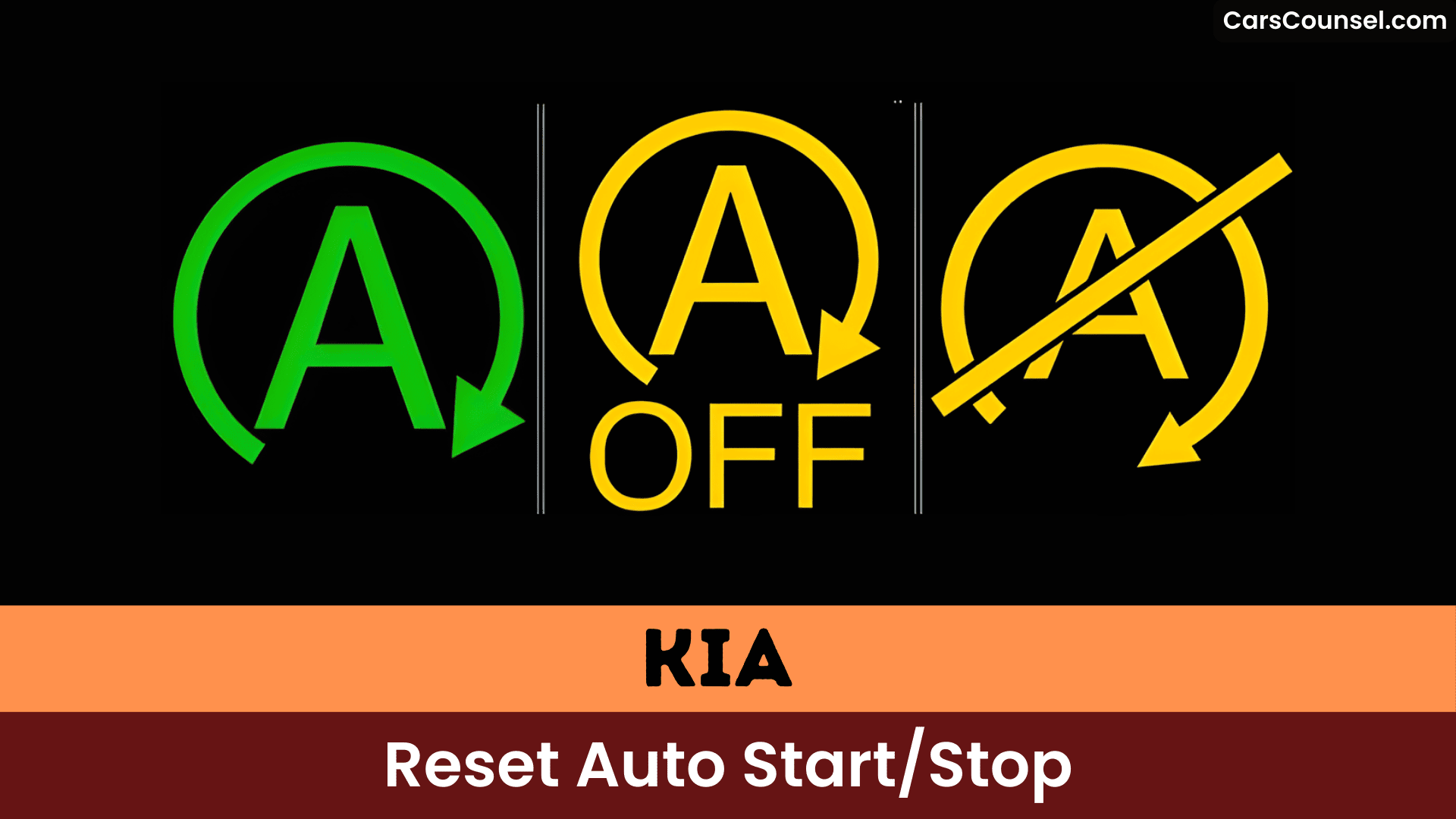
- After reset, drive through a normal stop-start cycle to confirm the green AUTO STOP indicator; scan for fault codes if it stays orange or disabled.
- Seek professional diagnosis if warnings persist, intermittent operation occurs, or safety-related faults appear for sensor/battery calibration and software checks.
Understanding Auto Start/Stop Functionality
Because Auto Start/Stop (ISG) balances fuel savings against battery health and safety, it only operates when multiple vehicle and environmental criteria are met.
> Auto Start/Stop (ISG) balances fuel savings against battery health and safety, operating only when multiple vehicle and environmental criteria are met.
You’ll rely on the system benefits of reduced idling and improved fuel efficiency, but the ISG checks battery state, outside temperature, and climate-control load before shutting the engine.
If criteria aren’t met, low battery charge, extreme temperatures, heavy HVAC demand, or detected faults—the feature won’t engage or may disable itself over time to protect components.
When it stops working unexpectedly, diagnose battery condition and system fault codes before assuming permanent hardware failure.
Common Reasons for Malfunction
Battery charge issues often cause your Kia’s Auto Start/Stop to malfunction, as the system demands a fully charged battery for reliable operation.
Insufficient charge triggers indicators like the yellow AUTO STOP light, preventing activation until you recharge or replace the battery.
You’ll need a control module reset—typically by disconnecting the battery for 4 hours then restarting the engine several times—to recalibrate sensors and restore functionality.
Battery Charge Issues
1 reason Auto Start/Stop can fail is low battery charge: the ISG system requires a minimum state of charge and voltage to guarantee reliable restarts, so if the battery is below the programmed threshold the feature stays disabled to protect the vehicle’s ability to restart.
You should monitor battery health because a weak battery yields intermittent ISG performance. Maintain battery maintenance routines—periodic charging, proper AGM handling, and sensor calibration after replacement—to restore function.
Expect seasonal drops in battery efficiency, and note heavy climate-control loads can prevent ISG engagement by increasing electrical draw and lowering available charge.
Control Module Reset
| Step | Action | Duration |
|---|---|---|
| 1 | Disconnect battery; avoid accessories | 4-5 hours |
| 2 | Reconnect; cycle ignition on/off | 2-3 times |
| 3 | Test Auto Start/Stop | Drive cycle |
| 4 | Scan for codes if failed | Dealer diag |
If faults persist, diagnose sensors electrically.
DIY Battery Reset Procedure
If you disconnect the negative battery terminal and leave it off for 4–5 hours, the Kia’s ISG/battery-sensor circuitry will have time to reset, allowing the Auto Start/Stop function to recalibrate when you reconnect and restart the vehicle.
- Gather DIY tools: Wrench for terminal; fully charged AGM battery tester.
- Follow safety precautions: Park safely, wear gloves, disconnect negative first to avoid shorts.
- Charge battery fully beforehand; low voltage disables ISG.
- Reconnect securely post-wait; start engine, verify green AUTO STOP indicator.
- Test at stop: If orange persists, diagnose sensors or seek pro help.
Checking Activation Conditions
| Condition | Required state |
|---|---|
| Battery sensor | Active |
| Charge level | Sufficient |
| Engine temp | Warm |
| Climate mode | Not demist/defrost |
| Outside temp | Within range |
Permanent Disablement Options
- Use aftermarket options (inline ISG module) for a reversible, electronic solution.
- Hood-sensor jump is invasive and may void warranty.
- Zip-tie button hacks are unreliable.
- Dealerships must link mods to failures to deny warranty.
- Evaluate safety concerns and functionality impacts before modifying.
When to Seek Professional Diagnosis
Having investigated permanent disable options, know when you need professional diagnosis: seek a certified Kia dealer if your Auto Start/Stop (ISG) remains nonfunctional after a DIY reset, shows persistent warning lights or messages, operates intermittently, or the engine shuts off unexpectedly while driving, since those symptoms commonly indicate sensor faults, battery or brake-vacuum issues, or system errors that require specialist tools and calibration to identify and repair.
You should pursue professional assistance for safety concerns and to access diagnostic equipment that reads manufacturer error codes, performs sensor/battery calibration, and verifies software or recall remedies under warranty.
Frequently Asked Questions
How Do I Reset My Start Stop System?
Disconnect the battery for about 4–5 hours to perform a system reset; make sure the battery is fully charged afterward, verify climate/temperature conditions, then confirm the start stop technology indicator shows green for normal operation.
Why Is My Kia Auto Start Not Working?
Like a captain denying shore leave, your Auto Start/Stop won’t engage because sensors, battery health, brake pedal position, climate settings or ISG faults block it—diagnose battery state, error lights, and sensors to resolve auto issues and restore engine performance.
How to Reboot a Kia System?
To reboot your Kia system, disconnect the battery for 4-5 hours after turning off all electrics; this resets the Auto Start/Stop via Kia reboot. Reconnect securely, start the vehicle, and verify functionality.
How to Turn off Auto Start-Stop in Kia?
Like clockwork: press the Auto Start Stop button on the center console to disable it for the drive; Kia features default to re-enable at next ignition, so use an aftermarket eliminator for a permanent, technical workaround.
Conclusion
You disconnect the negative battery terminal, letting silence cloak the control module for hours as electrical ghosts dissipate. Reconnect, cycle the ignition like priming a vigilant engine, ensuring your battery pulses at full charge. Test amid traffic’s halt, watching the AUTO STOP indicator flicker green—your Kia’s idle heart revives seamlessly, or summon professionals if shadows of malfunction linger.

