By coincidence, you might find the Auto Start/Stop light flickering just after you’ve tightened the battery terminals, and that’s a useful clue you shouldn’t ignore. You’ll want to try a simple reset — ignition to ON (don’t start), press the accelerator three times within ten seconds — but make sure engine temp, brake pressure, and battery health meet the system’s requirements. If that doesn’t fix it, the fault may be sensor- or software-related, so you’ll need the owner’s manual or a dealer scan to proceed.
Quick Navigation
Key Takeaways
- Press the Stop/Start OFF switch to temporarily deactivate the system.
- Check battery health and clean terminals for sufficient charge (12.6V+).
- Perform power cycle: turn off engine, wait 10 seconds, then restart.
- Use pedal method: ignition ON, press accelerator 5 times within 5 seconds.
- Disconnect negative battery terminal for 15 minutes to reset ECU.
How the Nissan Auto Start/Stop System Works
The Nissan Auto Start/Stop system automatically shuts off your engine when you come to a complete stop and restarts it as you release the brake or press the accelerator to save fuel and cut emissions, using sensors and an electronic control module to guarantee it only runs when conditions—like proper engine temperature, sufficient battery charge, and appropriate climate-control settings—are met. You’ll notice it engages with brake pressure applied and the engine at ideal temperature, boosting engine efficiency. A robust battery powers frequent cycles, while sensors monitor conditions for seamless operation. Users report fuel savings up to 733 ml (48 oz) over 12,000 miles, enhancing your driving efficiency.
Signs Your Auto Start/Stop System Needs Resetting
Notice frequent engine shutdowns or dashboard warning lights like “Stop/Start System Fault”—they signal your Nissan’s auto start/stop system needs resetting.
If the system fails to activate at stoplights despite normal conditions, or if warnings persist, check your battery charge first, as weakness often triggers these issues.
You’ll also spot problems from irregular behavior tied to low power or sensor faults, prompting a reset to restore function.
Frequent Engine Shutdowns
- Repeated sudden stops that feel rough suggest electrical or sensor faults.
- Intermittent restarts during warm or cold extremes point to environmental interference.
- High accessory loads or a weak battery commonly trigger shutdown loops.
- Persistent warning lights after DIY resets mean professional diagnostics are needed.
Check battery health, clean terminals, run system diagnostics, and update software.
Dashboard Warning Lights
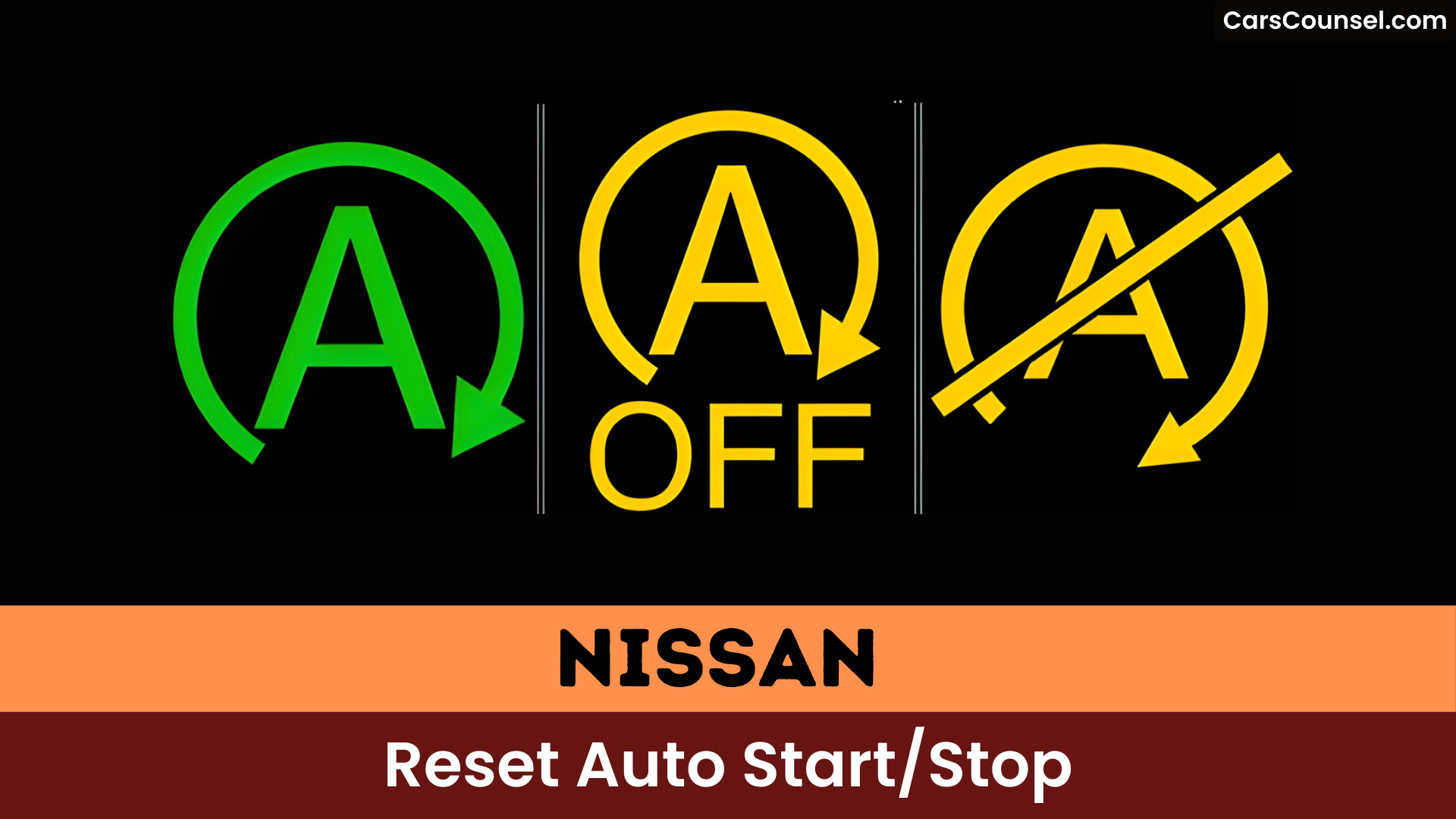
If a Stop/Start System Fault or related warning light appears on your dashboard, don’t ignore it — that indicator often means the auto start/stop system has disabled itself due to a weak battery, faulty sensors, or software/electrical issues and usually needs a reset or diagnostic check.
These warning indicators signal dashboard malfunctions that disable the feature even when conditions are met, like a warm engine.
Try resetting by restarting your vehicle; check for software updates to fix glitches. If the auto start/stop still won’t activate or lights persist, visit a dealership for diagnostics—ignoring them risks performance issues.
Basic Reset Methods for Auto Start/Stop
When your Nissan’s Auto Start/Stop acts up, you can often restore normal operation with a few basic resets: shut the engine off, wait about 10 seconds, then restart to let the system refresh its parameters; if that doesn’t help, disconnect the negative battery terminal for several minutes to clear stored memory and force an electronic reset; and afterward, verify battery health, terminal cleanliness, and that activation conditions (engine temperature, climate settings, etc.) are met so the feature can engage again, while persistent faults usually require a dealer software update or diagnostic scan to fix underlying issues.
For common troubleshooting, follow these steps:
- Power cycle: Kill the engine, pause 10 seconds, fire it up—visualize dash lights flickering back to life.
- Battery reset: Unhook the negative cable, wait minutes, reconnect—imagine electronics wiping clean.
- Battery maintenance: Test charge (12.6V+), clean terminals—see a strong power source humming.
- Conditions check: Confirm warm engine, proper AC—picture seamless stops at lights.
Advanced Troubleshooting for Persistent Issues
Although advanced fixes can get technical, you’ll usually start by ruling out power, sensor diagnostics, and software updates so you don’t waste time replacing parts that aren’t the root cause. Disconnect the battery for 15 minutes to reset the system, then verify it meets activation parameters like engine temperature, brake pressure, and climate settings. Check brake and battery sensors for faults or loose connections. Install any available software updates from Nissan to fix glitches. If issues persist, visit a certified service center for deeper electronic diagnostics.
Installing a Start/Stop Eliminator Device
- Unsnap console panels using fingers or T20 Torx screws, flipping them aside.
- Depin green/white connectors behind controls, plugging device inline till clicks.
- Tap red fuse wire to ignition 12V in fuse box for power.
- Reassemble panels, start vehicle—enjoy vibration-free stops.
Model-Specific Reset Instructions for Nissan Rogue
To reset the Auto Start/Stop system on your Nissan Rogue, turn the ignition to the “ON” position without starting the engine, wait for the dashboard to light up, then press the accelerator pedal three times within ten seconds.
> To reset the Auto Start/Stop system on your Nissan Rogue, turn the ignition to the “ON” position without starting the engine, wait for the dashboard to light up, then press the accelerator pedal three times within ten seconds.
You’ll also check that activation parameters—engine temperature, brake pressure, steering angle—meet requirements because these feature differences and model variations affect operation.
Some model variations let you reset by disconnecting the battery briefly, but that can erase other stored settings.
Consult your owner’s manual for year‑and‑trim specific steps; if the feature remains unresponsive, get professional diagnostics for battery, sensors, or software.
When to Visit a Nissan Dealer for Professional Reset
- Picture the fault light glaring stubbornly despite your repeated resets, signaling deeper trouble.
- Imagine the system failing to engage at stops, leaving your engine running unnecessarily.
- Visualize the engine struggling to restart or unexpectedly disengaging mid-drive.
- Envision electrical accessories flickering alongside stop/start glitches, hinting at electronic faults.
Don’t delay—head to the dealer for expert evaluation.
Frequently Asked Questions
How to Reset Stop Start System Nissan?
Disconnect the negative battery terminal for ~15 minutes to reset the Nissan start‑stop, make certain the battery’s charged and connections clean, check/update software, and inspect brake/battery sensors for faults as part of Nissan maintenance and system troubleshooting.
How Do I Reset My Start Stop System?
Turn the engine off and restart to re-enable start stop functionality; if it stays inactive, check battery health/connections, inspect sensors, try a software/ECU reset or update, and proceed with system troubleshooting or dealer diagnostics.
What Causes Start Stop System Fault on Nissan?
You’ve likely hit a start stop system malfunction from your weak battery, faulty sensors, loose terminals, software glitches, or alternator issues—check these first to fix it.
Why Is My Auto Start Stop Not Working?
Your auto start stop likely isn’t working because the battery’s weak or low, sensors (brake/hood/throttle) or connections are faulty, extreme temperatures or software glitches prevent activation, or a safety condition (seatbelt/engine) is detected.
Conclusion
You’ve reset your Nissan’s auto start/stop system—turn ignition ON, wait for lights, then press the accelerator three times in ten seconds. You’re driving smoothly again, and don’t worry if it feels technical; it’s simpler than changing a tire and saves fuel in traffic. Check your battery and sensors first if it glitches, grab your manual for model tweaks, or hit the dealer for codes. You’re set! (68 words)

