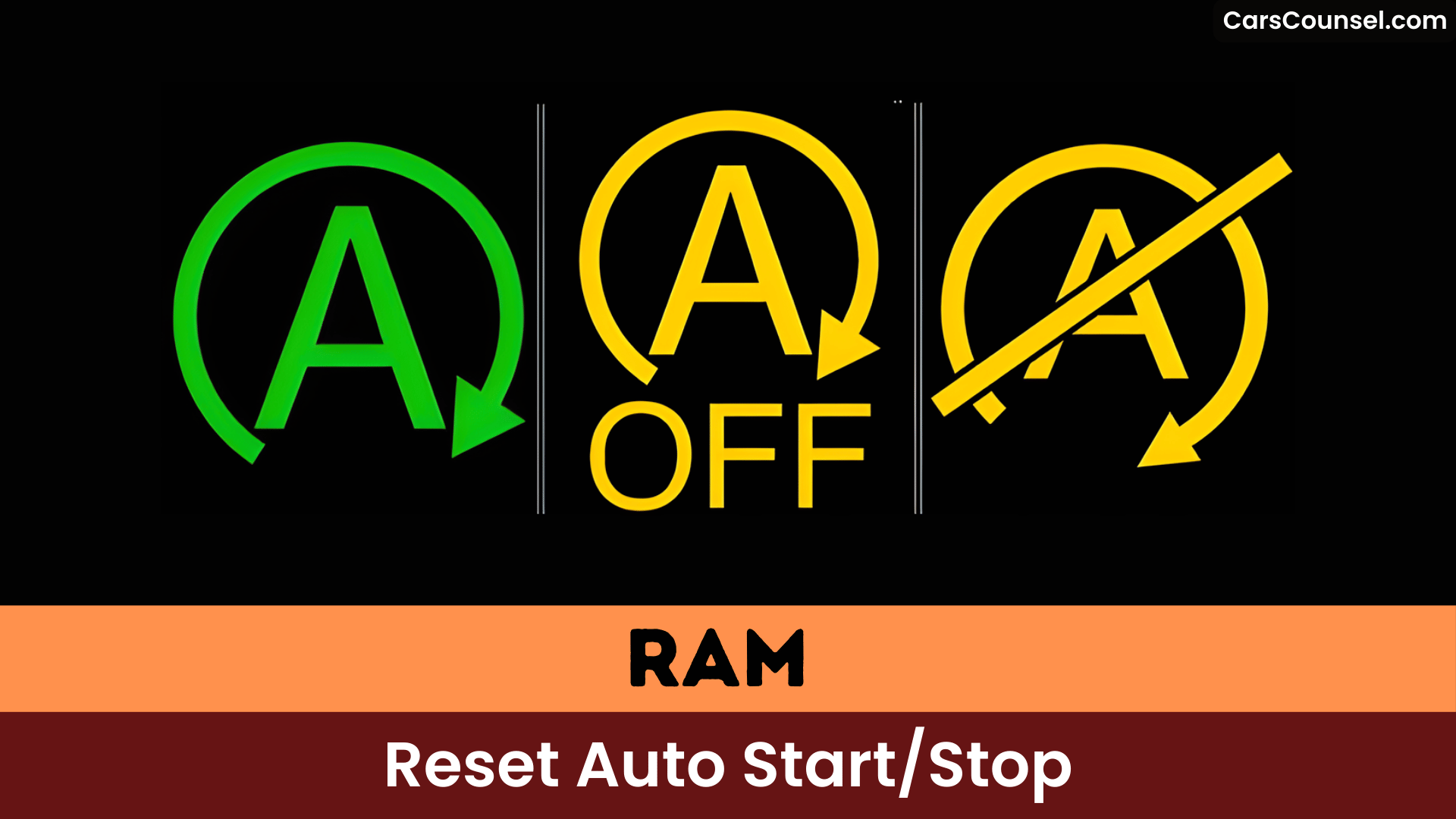
Imagine your Ram’s engine humming to a halt at every stoplight, only to jolt back alive against your will. Ram defaults Auto Start/Stop to “on” each startup, forcing you to disable it via the dash button or cluster menu.
Custom drive modes and aftermarket disablers offer permanence, but error lights like P152e signal deeper issues, stick around to master the fixes.
Quick Navigation
Key Takeaways
- Use the dash-mounted Stop/Start button each ignition to disable Auto Start/Stop for that drive cycle.
- Create or save a custom drive mode (e.g., Sport) in the cluster to reduce or disable auto stops for quick access.
- In the infotainment/driver assistance menu, toggle the Auto Start/Stop setting to reset its enabled/disabled state.
- Check battery health, engine temperature, and warning lights if Auto Start/Stop won’t engage or reset.
- For persistent permanent disablement, consider a reputable plug‑and‑play ESS disabler, noting potential warranty and safety implications.
How Engine Start‑Stop (ESS) Works on Ram Trucks
Ram trucks’ Engine Start-Stop (ESS) system automatically shuts off your engine at stops like traffic lights to boost fuel efficiency, then restarts it seamlessly when you release the brake.
You get reduced fuel use and emissions through frequent automatic restarts, with a hardware—reinforced starter and a deep‑cycle battery designed for repeated cycles.
ESS engages only when safety/comfort and engine performance conditions are met, so it won’t interrupt critical systems.
Because Ram doesn’t offer a permanent disable, you must manually turn ESS off each ignition to match driver preferences, or install an aftermarket Autostop Eliminator for a persistent override.
Why Ram Defaults ESS to On at Every Startup
Ram defaults your truck’s Engine Start-Stop (ESS) to on at every startup because its core startup default behavior prioritizes fuel efficiency and emissions reduction during idle periods.
This design intent rationale aligns with industry regulations mandating automatic activation to guarantee compliance, forcing you to manually disable it each time.
You’ll find this reset frustrates many drivers, as it demands repeated attention and distracts from safe operation.
Startup Default Behavior
A vehicle manufacturer programs Engine Start-Stop (ESS) to default to On at each ignition because the feature is treated as the baseline emissions- and fuel-efficiency control that must be active unless you explicitly opt out.
You encounter this startup default behavior every time you start your RAM vehicle, as it resets to promote regulatory compliance and reduce fuel consumption during stops.
If you disregard driver preferences to keep ESS off, you must manually disable it via the dash button, which frustrates many and raises safety concerns from in-motion distractions.
No permanent toggle exists from RAM, forcing repeated action.
Design Intent Rationale
| Design Benefits | Environmental Impact |
|---|---|
| Reduces idle fuel use | Lowers CO2 emissions |
| Optimizes economy | Cuts urban pollution |
| Heavy-duty components | Promotes sustainability |
| Seamless restarts | Meets regulations |
| No permanent disable | Minimizes carbon footprint |
This default reinforces Ram’s commitment to efficiency, lacking a factory permanent off-switch.
Factory Controls: Using the Dash Button and Cluster Settings
When you want to control Auto Start/Stop from the factory interface, use the dash-mounted Stop/Start switch near the gear selector to disable the system for the current ignition cycle, and check the cluster’s Stop/Start page for status and inhibiting conditions via the steering-wheel menu controls.
Use the dash button to turn the feature off each time you start the truck; it doesn’t persist between ignition cycles.
In some Ram models you can view and adjust related preferences through cluster settings accessed via the infotainment or steering-wheel menus.
Learn your dashboard layout to manage Start/Stop efficiently.
Creating and Saving a Custom Drive Mode to Reduce Auto Stops
- Access the infotainment main menu, create a Custom drive mode, and set Transmission = Sport to disable auto stop during typical operation.
- Save the custom mode to the home screen for immediate selection; this improves user experience and delivers clear custom mode advantages.
- Run A/C at a modestly low temperature to help maintain engine conditions and reduce Auto Start/Stop triggers.
Practical Workarounds: Sport Mode, AC Settings, and Shortcuts
Activate Sport Mode on your Ram to disable Auto Start/Stop, yielding sharper throttle response without hardware changes.
Crank your AC to its lowest setting as a reliable trick that blocks the feature from engaging under load.
These workarounds complement custom modes by offering on-demand control, though results vary by model and conditions.
Sport Mode Workaround
- Engage Sport Mode before low-speed urban driving to minimize Auto Start/Stop triggers and maintain system readiness.
- Verify instrument cluster status after engagement; some Ram configurations still enforce Start/Stop based on safety/thermal conditions.
- If inconsistent, combine sport mode with the low-AC workaround or home-screen shortcut for faster control, noting user-reported variability.
AC Settings Trick
When you set the HVAC to a lower target temperature and reduce blower demand, the Ram’s stop/start logic is less likely to inhibit engine shutdown because the system detects less immediate cabin heating or cooling need and therefore sees fewer thermal constraints on Auto Start/Stop.
Use ac settings deliberately: lower target temp plus minimal fan reduces HVAC load and signal to the control module that continuous engine operation isn’t required. User feedback reports this consistently delays or prevents auto stops in many conditions.
Combine with custom drive modes or home-screen shortcuts to store and recall these ac settings for rapid, repeatable results.
Aftermarket Solutions: Plug‑and‑Play ESS Disabler Devices
Aftermarket plug-and-play ESS disabler devices, like the Autostop Eliminator, let you permanently disable your Ram’s Engine Start-Stop feature by plugging directly into the wiring harness—such as the security gateway module—without modifying the vehicle’s computer.
You get plug and play convenience and improved user satisfaction while retaining factory features and remote start.
- Installation: 100% plug-and-play into the gateway; no tools, memorizes preference.
- Operation: electronically signals the ECU to keep ESS off after each ignition; re-enable with dash button.
- Benefits: removes repeated manual disabling, reduces distraction, widely reported effective by owners.
Installation Steps and Safety Considerations for Disablers
Install the Autostop Eliminator by locating the security gateway module under the driver’s dash, unplugging its 12-wire connector, and inserting the device inline—plug the harness into the eliminator, then the eliminator into the module.
You’ll benefit from simple, true plug‑and‑play installation benefits with no vehicle computer reprogramming required. The module disables Engine Start‑Stop permanently until you choose to reactivate via the device’s button, preserving device compatibility across supported Ram models.
Follow the manufacturer’s instructions precisely during installation to avoid warranty or wiring issues, and verify the unit doesn’t interfere with other systems before regular use.
Common Problems, Error Codes, and When to See a Dealer
- Scan for U0402$7E8 to confirm TCM communication failure.
- Check trailer brake controller absence, a common dealership attribution.
- Review TSBs for PCM updates addressing start/stop glitches.
Dealership experiences reveal warranty disputes; seek diagnostics if errors persist beyond restarts.
Community Tips, Reported Successes, and Ongoing Discussion
While dealership diagnostics often fall short on persistent errors, Ram owners report reliable workarounds for disabling Auto Start/Stop on 2025 models.
You’ll find consistent user experiences showing a custom Sport drive mode disables auto stop, and community user feedback describes running AC at low temperature to inhibit engagement.
Users note sparse official instructions, so they share remedies, create home-screen shortcuts to custom settings, and discuss plug‑and‑play eliminator modules that remember your ESS preference.
Forum threads and comment threads (22+ entries) aggregate techniques, troubleshooting notes, and installation tips, producing actionable community guidance where OEM documentation is lacking.
Frequently Asked Questions
How Do I Reset My Start-Stop System?
Press your Ram’s start-stop button on the dashboard to disable start stop technology temporarily each cycle. For system troubleshooting, disconnect the battery 15 minutes, clear codes with a diagnostic tool, or seek dealership updates.
How to Do a Hard Reset on a Dodge Ram 1500?
Disconnect the negative battery cable for at least 10 minutes to perform a Dodge Ram hard reset, reconnect, turn ignition to ON (don’t start), press the gas pedal three times, then verify doors/hood are closed.
Why Is My Auto Start-Stop Not Working?
Your Auto Start-Stop likely isn’t engaging because the system detects low battery, wrong operating temperature, towing without a brake controller, DTCs, or accessory/ABS faults; use OBD scans and the troubleshooting tips to pinpoint the fault.
What Causes the Auto Start-Stop Light to Come On?
Auto start stop warning lights come on from battery issues (low/weak 12V or 48V, poor connections), engine misfires/diagnostic codes (e.g., P0301), sensor faults, environmental extremes, accessory load (A/C), or PCM/software faults.
Conclusion
You can tame Auto Start/Stop without drama: change the cluster setting or create a saved drive mode so the system stays off for your preferred drives, use Sport/AC tweaks to reduce unwanted stops, or fit a plug‑and‑play eliminator that remembers your choice for each ignition cycle. Treat disabler installs like any electrical mod—follow connector‑side instructions and safety cautions, and consult a dealer if error codes or persistent faults appear.

