
You’ll troubleshoot, you’ll reset, and you’ll diagnose. Now, fix the Auto Start/Stop on your Acura.
Quick Navigation
Key Takeaways
- Check if Auto Idle Stop OFF button is pressed.
- Verify vehicle meets required conditions.
- Assess engine temperature and battery charge.
- Reset system by disconnecting battery temporarily.
- Consult owner’s manual for model-specific instructions.
Understanding Auto Idle Stop
When you’re driving an Acura, you’ll notice the Auto Idle Stop (AIS) feature kicks in to improve fuel efficiency by automatically shutting off the engine when your vehicle is stationary.
You’ll experience increased Auto Idle functionality, enhancing fuel efficiency. The AIS requires specific conditions, including temperature ranges, to function.
It restarts when you press the accelerator, optimizing Auto Idle and fuel efficiency.
Troubleshooting Auto Start/Stop Issues
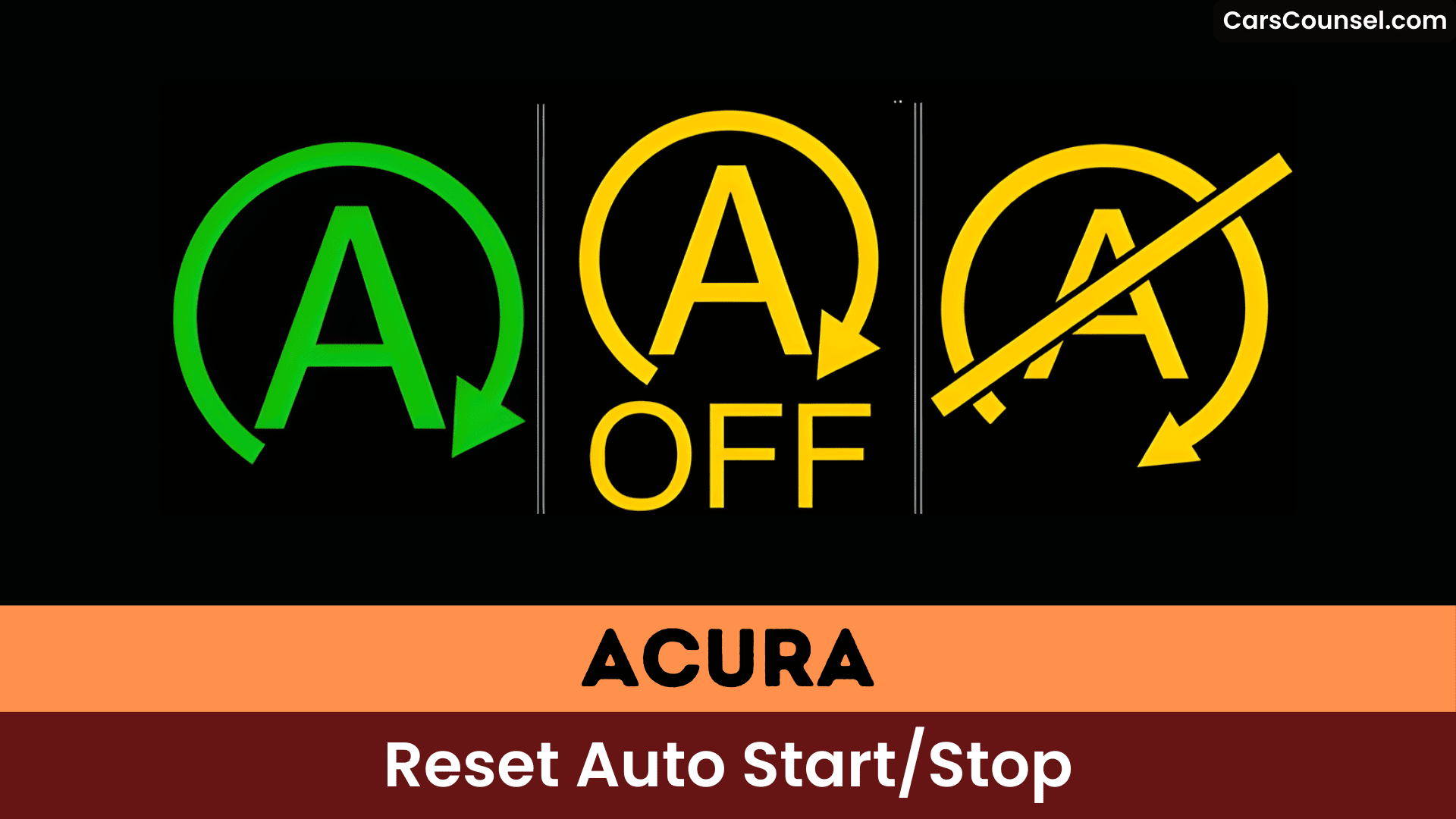
To troubleshoot Auto Start/Stop issues on your Acura, you’ll first check if the Auto Idle Stop OFF button has been pressed, as this will disable the feature.
Based on user experiences and consumer feedback, verify the vehicle meets required conditions. Check the transmission, seat belt, and engine temperature.
If issues persist, consider resetting the system by disconnecting the battery. This approach can help resolve common problems reported by users, improving overall system functionality and reliability.
Factors Affecting Auto Idle Stop Functionality
You’ll find that system settings, such as the vehicle being in Drive and your seat belt secured, are essential for the Auto Idle Stop (AIS) system to function.
Your climate control settings, like the air conditioning, can also impact AIS functionality, as high electrical demand can affect the battery charge required for the system to work.
You should consider checking your battery charge, as it needs to be sufficient to engage the AIS system, and verify that other factors, like system settings and climate control, are within the required parameters.
System Settings
The Acura’s Auto Idle Stop system relies on specific conditions being met, including engine coolant and transmission fluid temperatures falling within predetermined ranges, for it to activate properly.
You’ll notice system performance improvements when these conditions are met. User feedback indicates that proper system settings are essential for peak functionality.
Confirm your vehicle is in Drive and your seat belt is fastened to enable the Auto Idle Stop system, affecting its overall performance and your user experience.
Climate Control
Climate control settings, such as cranking up the air conditioning, can deactivate Acura’s Auto Idle Stop feature, preventing it from engaging.
You’ll find that climate control effects, like excessive electrical draw, impact the system.
High humidity levels also have an impact, demonstrating humidity’s influence on Auto Idle Stop functionality, as it can prevent the feature from activating when you need it.
Battery Charge
Factors affecting Auto Idle Stop functionality extend beyond climate control settings, and your vehicle’s battery charge state plays a significant role in the system’s operation.
You’ll need to evaluate battery maintenance and charge monitoring.
Key factors include:
- Low battery charge
- Short driving distances
- High electrical draw
- Inadequate charge monitoring, which can be improved with proper battery maintenance.
User Experiences With Auto Idle Stop
As you navigate through your Acura’s features, you’ll likely notice that the auto idle stop function often resets to “on” each time you restart the engine, which can be frustrating if you prefer to keep it disabled.
You’ll find user feedback reflects this issue, with driver preferences often overlooked. Many adapt by disabling it at each start, seeking more control over the feature’s behavior, influenced by factors like temperature and battery charge.
Manufacturer Practices and Industry Trends
When you consider the default settings of your Acura, you’ll notice that the Auto Idle Stop feature is set to “on”, which isn’t unique to Acura – many manufacturers, including GMC, prioritize fuel efficiency by defaulting to this setting.
Key factors include:
- Regulatory impact
- Consumer preferences
- Emissions standards
- Fuel economy targets, driving industry trends.
Workarounds and Solutions for Auto Idle Stop
You can disable the Auto Stop feature by installing a bypass device like Idlestopper, which allows for a more customizable driving experience.
If your Auto Idle Stop isn’t working, you can try disconnecting and reconnecting the battery or maintaining an ideal battery charge to improve its reliability.
Auto Stop Disable
Several workarounds can disable the auto idle stop feature on your Acura.
You can consider:
- Idlestopper™ devices
- Battery disconnection
- Owner’s manual settings
- Programming tools, enhancing user preferences and driver convenience, while ensuring system reliability and vehicle customization, based on your driving habits and user feedback, with minimal maintenance impact.
Idle Fix Tips
As the Auto Idle Stop feature can sometimes malfunction or become inactive, it’s essential to know how to reset or fix it.
You can reset it by disconnecting and reconnecting the battery. This improves your user experience.
For a feature comparison, consider aftermarket devices like Idlestopper.
Regular monitoring of engine conditions also helps, ensuring a seamless Auto Idle Stop operation and enhancing your overall feature comparison and user experience.
Stop Start Bypass
The Stop Start Bypass offers a convenient workaround for Acura owners who want to disable the Auto Idle Stop feature permanently.
You’ll enjoy bypass device benefits, including ease of use. Consider these:
- Easy installation
- Permanent solution
- No warranty issues
- Simple operation, with installation tips available online.
Regulatory and Environmental Considerations
Regulatory mandates from agencies like the EPA drive automakers, including Acura, to implement auto start/stop systems, which improve fuel efficiency and reduce emissions.
You’ll notice regulatory impacts on your vehicle, as these systems contribute to environmental benefits. Auto start/stop technology helps lower greenhouse gas emissions, aligning with stricter fuel economy standards.
This reflects a trend towards optimizing engine performance and reducing fuel consumption, ultimately benefiting the environment.
Community Engagement and Consumer Reactions
Fuel efficiency and emissions reduction efforts have sparked community engagement around Acura’s auto start/stop systems.
You’ll find user feedback and community tips on forums, including:
- Troubleshooting auto start/stop issues
- Resetting the system
- Workarounds for disabling it
- Aftermarket solutions, all reflecting a desire for greater control over vehicle settings.
Turning Off Auto Idle Stop Permanently
As you investigate managing your Acura’s Auto Idle Stop feature, you’ll find that turning it off permanently is a bit more complex than simply flipping a switch.
You’ll need to evaluate feature limitations and user preferences. Aftermarket options can help, based on community insights and user feedback.
Software updates may not provide a solution, so you’ll have to adjust your vehicle settings to suit your driving habits, assessing alternatives to meet your needs.
Auto Idle Stop and Vehicle Maintenance
When you’re driving an Acura with the Auto Idle Stop feature, you’ll find that maintaining your vehicle’s overall health is essential for its proper functioning.
For peak auto idle performance, consider:
- Regular battery checks
- Engine coolant maintenance
- Transmission fluid checks
- Climate control monitoring
As part of your vehicle upkeep to guarantee the auto idle stop feature works correctly.
Bluetooth Connectivity and Auto Idle Stop
You’ll encounter Bluetooth issues when pairing your Acura with newer devices, which can affect the auto idle stop feature’s performance.
As you troubleshoot these connectivity problems, you’ll need to reflect on the impact on your vehicle’s auto connect settings and idle stop functionality.
Bluetooth Issues
How do Bluetooth issues impact your overall driving experience in your Acura, particularly in relation to auto idle stop functionality?
You’ll face problems with Bluetooth compatibility, affecting user experiences.
Some solutions include:
- Checking software updates
- Disconnecting and reconnecting devices
- Maintaining vehicle systems
- Troubleshooting connectivity issues, ensuring ideal Bluetooth compatibility and user satisfaction.
Idle Stop
As your Acura’s engine shuts off at an idle, the Auto Idle Stop feature’s functionality can be impacted by various factors, including Bluetooth connectivity issues. You’ll find idle stop benefits, like reduced emissions, but also drawbacks.
| Factor | Impact | Result |
|---|---|---|
| Battery | Low charge | Disabled |
| Climate | High settings | Disabled |
| Connectivity | Issues | Variable |
Auto Connect
Someone experiencing issues with their Acura’s Auto Idle Stop feature may find that Bluetooth connectivity plays an essential role in its functionality.
You’ll encounter connectivity challenges with auto connection.
Key considerations include:
- Checking Bluetooth settings
- Ensuring seat belt is fastened
- Vehicle in Drive mode
- Regular maintenance checks, to resolve issues with your Acura’s Auto Idle Stop and auto connection.
General Vehicle Maintenance Tips
You’ll find that maintaining your Acura’s overall health is crucial for the Auto Start/Stop system to function properly, because a well-maintained vehicle assures the system engages and disengages smoothly.
You should prioritize battery maintenance and regular coolant check to guarantee peak performance. This helps prevent issues and assures the system activates correctly, allowing you to get the most out of your Acura’s features.
Stop/Start System Inactivity and Solutions
Maintaining your Acura’s overall health sets the stage for ideal Auto Start/Stop system performance, but it’s not a guarantee the system will always engage.
You can troubleshoot it by considering the stop/start innovation and eco friendly technology. Issues may arise from:
- Insufficient battery charge
- High electrical draw
- Short driving distances
- Inadequate engine warm-up, affecting the system’s readiness to activate.
Technical Insights Into Auto Start/Stop Functionality
As the Auto Start/Stop system‘s functionality is heavily dependent on specific conditions, it’s crucial to understand the technical aspects that govern its operation.
You’ll find that engine performance and system calibration play critical roles. The system’s activation requires ideal engine conditions, such as normal coolant temperatures.
Proper system calibration guarantees seamless engine start/stop transitions, enhancing overall engine performance and efficiency.
Common Issues and Solutions for Auto Idle Stop
When your Acura’s Auto Idle Stop (AIS) feature doesn’t activate, it’s likely due to specific conditions that hinder its functionality, such as engine temperature, battery charge levels, and climate control settings.
You’ll find issues with AIS affect fuel efficiency, leveraging adaptive technology.
- Check battery charge
- Verify climate control
- Confirm seatbelt is fastened
- Monitor engine temperature
Frequently Asked Questions
How Do I Reset My Start-Stop System?
You reset your start-stop system by checking system maintenance, ensuring proper start stop technology function, and verifying the driver’s seat belt is fastened, then restarting the engine to reactivate it.
Why Is My Acura Auto Start Stop Not Working?
You’re experiencing auto start stop issues, so you’re troubleshooting your Acura, but first, check the basics, like engine conditions and climate control settings, to resolve the problem quickly.
What Would Cause an Auto Start Stop Not to Work?
You’ll find battery issues or sensor malfunctions can cause it, as they disrupt the system’s functionality, preventing the Auto Start/Stop from working correctly, so you’ll need to check and repair them.
How Do You Turn off Idle Stop Permanently on Acura TLX?
You’ll access the Individual Settings menu on your Acura TLX to permanently turn off the idle stop feature, but it’s not that simple, as it requires specific steps to disable it completely.
Conclusion
You’ve turned the corner in resolving Auto Start/Stop issues on your Acura. When the system’s not functioning, it’s back to the drawing board. To get it up and running, you must cut to the chase and address the root cause, ensuring a seamless restart.
