A friend’s 2019 GMC Sierra wouldn’t Auto Stop after a battery replacement, so you disconnected the negative terminal for 15 minutes and the feature returned once the battery relearned charge levels. You’ll want to park level, turn the engine off, disconnect the negative terminal for at least 10 minutes, then reconnect to a fully charged battery and start the truck to see if Auto Start/Stop engages again; if it still won’t, check battery voltage, HVAC settings and the Stop/Start button before you consider dealer diagnostics.
Quick Navigation
Key Takeaways
- Disconnect the negative battery terminal for 10 minutes, then reconnect to reset Auto Start/Stop.
- Ensure battery voltage exceeds 12.4 volts for proper system engagement.
- Turn off climate control auto mode and electrical accessories before testing.
- Verify not in tow/haul mode, as it disables the Auto Start/Stop feature.
- Drive vehicle after reset to allow battery charge and system recalibration.
Understanding Auto Start/Stop on GMC Vehicles
Though it improves fuel economy and cuts emissions, Auto Start/Stop on GMC vehicles automatically shuts off the engine when you come to a complete stop to save fuel and reduce idling emissions. You’ll notice the tachometer’s “Auto Stop” position confirming it’s active, delivering benefits like improved fuel efficiency and emissions reduction. Intelligent sensors monitor battery charge, climate control, and other conditions to engage or disengage it seamlessly. You can temporarily deactivate it with a button, but it reactivates each restart. Low battery, A/C use, or tow/haul mode may prevent operation.
Common Reasons Auto Start/Stop May Not Engage
Your GMC’s Auto Start/Stop may not engage due to several common issues.
If your climate control‘s on auto, it activates A/C, blocking the engine shutdown. Tow/haul mode disables it entirely, so check if you’ve engaged it.
Low battery voltage prevents operation to avoid drain, especially from short trips that don’t recharge fully. Other system faults also halt it, requiring diagnostics.
> Low battery voltage prevents auto start/stop operation to avoid drain, especially from short trips. Other system faults require diagnostics.
Understanding these helps maximize auto start/stop benefits like fuel savings.
Use these troubleshooting tips: test battery charge, disable tow/haul, adjust climate manually, and scan for codes.
Safety Precautions Before Resetting Systems
Before resetting your GMC’s auto start/stop system, park on a level surface and turn off the engine to prevent unintended movement.
- Wear safety gear like protective gloves and goggles to guard against electrical hazards when disconnecting the battery.
- Keep your Owner’s Manual handy for model-specific procedures and system implications.
- Turn off all electronic accessories and climate controls to prevent overload.
- Verify your battery’s condition; a weak one complicates the reset and auto start/stop function.
How to Perform a Battery Reset to Restore Auto Start/Stop
To restore Auto Start/Stop, first disconnect the negative battery terminal for at least 10 minutes to let the vehicle’s modules power down and the ECM/software reboot.
Reconnect the terminal to a fully charged battery (use a Battery Tender if needed) and start the vehicle, then verify the Auto Start/Stop engages during normal stop/start conditions.
If it still won’t activate, consult your Owner’s Manual for model-specific reset steps and troubleshooting.
Battery Disconnect Procedure
When you disconnect the battery to reset Auto Start/Stop, shut the vehicle off and remove the negative terminal with a wrench so the circuit is fully open.
Then wait at least 15 minutes to let system capacitors and modules discharge before reconnecting the negative terminal tightly and testing the feature.
- Remove the negative terminal, ensuring the vehicle is off and you avoid contact with positive for safety.
- Wait 15+ minutes so modules discharge and system diagnostics can clear stored states affecting battery performance.
- Reconnect the negative terminal securely; tighten to prevent poor contact.
- Start the vehicle and check Auto Start/Stop.
Charge_and_Maintain
A fully charged battery restores Auto Start/Stop functionality on your GMC vehicle, as low voltage disables it. Regularly use a Battery Tender to maintain charge and promote battery longevity, ensuring the system operates effectively for start/stop benefits like fuel savings. If it’s not working, disconnect the battery briefly to reset it—reconnect after 10-15 minutes. Confirm you’re not in tow/haul mode, which disables the feature. Always check your Owner’s Manual for precise steps. These practices prevent low-voltage issues common in start/stop cycles.
ECM/Software Reboot
Follow these steps for a proper ECM/software reboot:
- Confirm all systems power down completely before reconnecting to enable software resets and ECM updates.
- Reconnect the negative terminal cautiously to avoid electrical faults.
- Start the vehicle and let it idle 5 minutes for relearning.
- Drive and verify Auto Start/Stop engages at stops.
If issues persist, check the Owner’s Manual or visit a dealership.
Checking Battery Health and Voltage Requirements
Battery health directly impacts your GMC’s auto start/stop feature, so regularly check its voltage with a multimeter or tester—you’ll need above 12.4 volts at rest for proper operation.
Monitor battery performance and practice voltage monitoring to catch decline before it affects Auto Stop engagement. Use a battery maintainer or trickle charger during infrequent use to prevent low-voltage lockouts.
Test battery health periodically with a multimeter or dedicated tester, and watch for parasitic drain that can deplete charge in newer vehicles.
If voltage or health is marginal, replace with the OEM-recommended EFB/AGM type to preserve start/stop reliability.
Vehicle Settings That Prevent Auto Start/Stop (Climate, Tow/Haul, Etc.)
Check your climate control settings, as auto mode can activate the AC compressor and prevent auto start/stop from engaging.
Activate tow/haul mode only when needed, since it disables the feature to support heavy loads.
You’ll also need sufficient battery voltage above 11-12V, or the system won’t operate to safeguard electrical demands.
Climate Control Interference
Because climate and drive-mode settings can demand continuous engine power, they often stop Auto Start/Stop from engaging, so you should review those settings first.
- If climate control settings are set to automatic, the system may run the compressor or fans and keep the engine on to maintain cabin temperature adjustments.
- Tow/Haul mode disables Auto Start/Stop to prioritize power for towing and heavy loads.
- Low battery voltage prevents Auto Start/Stop to avoid draining the battery.
- Other system faults can block engagement, so inspect vehicle diagnostics and settings before assuming a mechanical failure.
Tow/Haul Mode Impact
Tow/Haul mode disables Auto Start/Stop in your GMC to prioritize power for towing or heavy loads, just as climate settings demand continuous engine operation. It improves towing performance by ensuring steady engine efficiency during demanding hauls, preventing unnecessary shutdowns. You’ll notice this if you’re pulling trailers or cargo, as the system favors reliability over fuel savings. Low battery voltage or steep inclines also block Auto Start/Stop for protection. Turn off Tow/Haul via your gear shift or steering wheel button, adjust climate controls, and check settings regularly to restore the feature.
Battery Voltage Limits
When battery voltage or state-of-charge falls below the thresholds required by GM’s stop/start system, Auto Start/Stop is prevented so the vehicle can preserve starting power for safety and accessory loads; low voltage or poor battery performance will block restarts to protect the starter and electronics.
- Check voltage thresholds — GM requires battery voltage above ~12 V and SOC above manufacturer limits for stop/start to engage.
- Short trips can degrade battery performance, lowering SOC and disabling Auto Start/Stop.
- Climate or tow/haul settings also keep the system off to avoid extra load.
- Monitor battery health and settings regularly to restore function.
Using the Auto Start/Stop Deactivation Switch and Indicators
Use the Auto Start/Stop deactivation switch to temporarily disable the feature for one ignition cycle; it reactivates automatically next time you start your GMC.
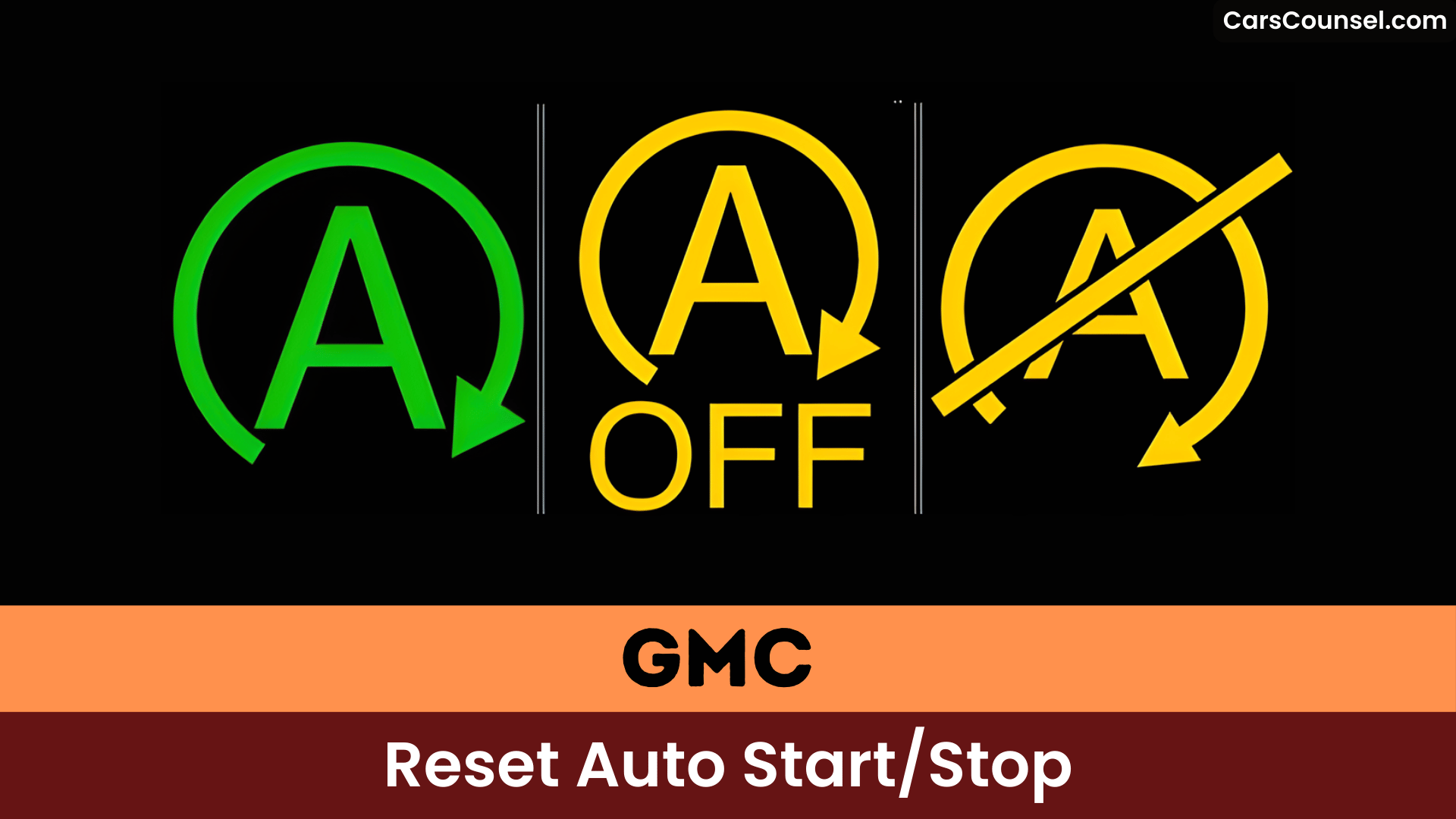
Press the switch—typically marked with an “A” in a circle—to turn it off; the LED stays unlit when disabled.
Understand Auto Start/Stop benefits like fuel savings, but use the deactivation switch usage if you prefer it off.
The tachometer needle moves to the “Auto Stop” position when the engine shuts down, confirming it’s active.
Check your Owner’s Manual or equipment list to verify availability—it’s enabled by default each start for efficiency.
When a Dealer Software Update or Reflash Is Needed
If your GMC’s Auto Start/Stop starts behaving clunkily after service, a dealer software reflash can recalibrate the system and correct timing or control logic issues.
A reflash can also reset the vehicle’s battery management and related modules—sometimes more permanently fixing problems than a temporary battery disconnect.
Be aware that dealer updates improve stop/start performance but can occasionally introduce new software glitches affecting other systems, so ask the dealer what changes the update includes.
Dealer Reflash Impact
- A reflash corrects programming errors that prevent auto start/stop from engaging properly.
- Technicians apply calibrated updates targeting known issues and harmonizing modules.
- Owners report improved responsiveness after updates, though some note a rough reengagement resembling a stall.
- Regular dealer software maintenance helps prevent future faults and maintains overall system performance.
Battery Management Reset
When your GMC’s auto start/stop fails after prior updates or repairs, a dealer software reflash often resets it by fixing glitches tied to battery management.
You’ll need this if diagnostics reveal issues with battery lifecycle or software compatibility disrupting the feature’s integration with vehicle systems. A reflash corrects these, ensuring ideal performance without frequent resets.
Maintain your battery through regular charging and voltage checks to extend its lifecycle and minimize interventions.
Consult your Owner’s Manual or dealer for tailored procedures on updates affecting auto start/stop.
Software Calibration Steps
Dealerships perform software calibration to restore your GMC’s auto start/stop after maintenance disrupts it.
You’ll bring a detailed account of the issue and recent work so technicians can decide if software updates or a reflash are needed.
- Dealer runs diagnostic and checks for related DTCs and system faults to confirm the issue.
- If required, they apply manufacturer software updates or reflash the module using GM tools and a stable power supply.
- Technician performs the calibration process and clears codes, documenting changes for future reference.
- You verify operation by testing auto start/stop and reporting any anomalies.
Quick Troubleshooting Steps You Can Try at Home
If your GMC’s auto start/stop isn’t engaging, first verify it’s not in tow/haul mode, as this disables the feature.
Check climate controls and make sure the AC is off because active cooling can prevent engine shutoff.
Monitor battery voltage—if it’s low the system will disable to protect the battery.
If settings look normal and the feature still fails, disconnect the negative battery cable for a few minutes to reset the system, then reconnect and retest.
Consult your Owner’s Manual for model‑specific steps and observe alternative features and user experiences if the factory reset doesn’t restore normal operation.
When to Contact Your Dealer or Certified Technician
Contact your dealer if the auto start/stop feature stops working after a software update or maintenance—they’ll check for reprogramming needs.
Seek dealer diagnostics or technician expertise in these cases:
> Seek dealer diagnostics or technician expertise in these cases:
- Persistent problems after troubleshooting signal electrical or system faults.
- Suspected battery voltage issues require tests on the battery and charging system.
- Vehicle enters tow/haul mode inadvertently, disabling the feature—needs settings adjustment.
- Resets and battery maintenance fail, pointing to software glitches or grounding issues.
Preventive Maintenance to Keep Auto Start/Stop Working
Maintain your GMC’s auto start/stop feature through regular preventive steps that address common disablement causes.
Regularly check and maintain the vehicle’s battery health, as low voltage disables the system to prevent failures—use battery maintenance tips like a tender or trickle charger for infrequently driven vehicles.
Confirm climate controls don’t activate AC, which blocks auto start/stop benefits like fuel savings.
Avoid tow/haul mode, which automatically disables it.
Periodically inspect software updates and consult your owner’s manual for performance instructions.
Frequently Asked Questions
How Do I Reset My Start Stop System?
Disconnect your GMC’s battery for a few minutes to reset the start stop technology and perform a system reset. Verify it’s in Park, climate off. Check for updates or consult your manual if issues persist. (35 words)
How to Turn off Auto Start-Stop Permanently in GMC Sierra?
Want permanent auto start stop disable in your GMC Sierra? Install a plug-and-play Start/Stop Eliminator behind the dash button—it remembers your off setting after each start, no resets needed.
Why Is My Auto Start-Stop Not Working?
Your Auto start stop may be disabled because the system senses a System malfunction (check engine/ABS), low battery voltage, tow/haul mode, active climate control/AC demand, or recent software reprogramming affecting the start‑stop logic.
How Do I Stop My GMC Truck From Automatically Turning Off?
Consider a gentle workaround: press the Stop/Start button each ignition cycle or fit an Autostop Eliminator to keep it off, protecting engine performance while trading some fuel efficiency benefits for constant idling.
Conclusion
You can often restore Auto Start/Stop by disconnecting the negative battery for about 10 minutes, then reconnecting to a fully charged battery and restarting the vehicle, but that “battery reset” theory isn’t guaranteed because the Stop/Start system stores state and health data in multiple modules beyond the 12V battery. If restart still fails, check battery voltage and HVAC settings, try simple troubleshooting steps, and have a dealer reflash or run diagnostics if the issue persists.

