Hyundai’s Auto Start-Stop (ISG) system requires battery sensor recalibration after any disconnection, a step most drivers overlook.
You turn the ignition on without starting, then park for at least four hours with doors closed.
Next, reconnect and verify voltage exceeds 12.5 volts, but what if sensors still fault?
Quick Navigation
Key Takeaways
- Disconnect the battery for several minutes to reset the auto start-stop system.
- Check battery voltage; ensure it measures ≥12.5 V after resting 30 minutes.
- Verify ignition is ON, shift in DRIVE, and brake fully depressed.
- Ensure seatbelts fastened, hood closed, and no warning lights present.
- Use OBD2 scanner for diagnostics if reset fails.
What Auto Start-Stop Does and Why It Matters
Hyundai’s auto start-stop (Idle Stop and Go or ISG) system automatically shuts off your engine when you stop fully—such as at a red light—with the brake pedal depressed and gear in Drive or Neutral.
Then, it restarts it precisely when you release the brake to proceed.
Step 1: ISG halts fuel flow at idle to improve engine efficiency.
Step 2: ISG restarts the engine on brake release or gear change.
Step 3: System reduces idle emissions to meet regulations.
Step 4: You must toggle ISG each ignition cycle; consumer feedback often requests a permanent disable.
Common Reasons the System Fails to Operate (Battery, Sensors, Software)
- Test battery voltage step-by-step: Use a multimeter to verify charge exceeds 12.5 volts; recharge or replace if low, then perform sensor calibration via ignition cycles.
- Diagnose sensors: Inspect battery and condition sensors for faults; recalibrate using GDS tool if disconnected, ensuring accurate readiness assessment.
- Address software: Apply software updates or reset firmware to fix glitches; monitor in extreme cold, maintaining battery health regularly.
Quick Troubleshooting Steps to Try First
Start by confirming the battery state of charge and basic vehicle settings: measure battery voltage (should be ≥12.5 V) and, if low, recharge or replace before proceeding; verify the ignition is ON, shift is in DRIVE, and the brake is fully depressed so the system can attempt an auto stop.
Measure voltage with a DMM; if below 12.5 V, recharge and retry. If ISG still won’t engage, disconnect the battery for several minutes to force a system reset and reconnect securely.
Check driving mode (Sport/Comfort may disable auto start stop benefits) and retest. If unresolved, run diagnostic tests for sensors/software with a technician.
How to Check and Interpret Battery Health for Start-Stop Systems
Before testing the vehicle systems, confirm battery resting voltage and capacity so you can interpret results against start‑stop requirements: with the vehicle off and at least 30 minutes after last engine run, measure open‑circuit voltage at the battery terminals with a DMM (a healthy, fully charged 12‑V lead‑acid battery reads ≈12.7 V; readings below 12.5 V indicate reduced reserve and below 12.2 V suggest imminent replacement).
Perform these steps for precise assessment:
- Conduct voltage monitoring using a DMM; low voltage deactivates start-stop.
- Use OBD2 scanner or battery tester to check charge capacity and SOH, ensuring start-stop compatibility.
- Apply battery maintenance charger if needed to restore performance and prolong life amid frequent cycling.
Resetting the System by Disconnecting/Reconnecting the Battery
Locate the negative battery terminal, use a correctly sized wrench to loosen the clamp, and remove it—then wait at least 10 minutes to allow capacitors and the battery sensor to discharge.
Reconnect the terminal snugly, guarantee clean tight connections, and let the vehicle sit with ignition OFF for several minutes so the battery sensor and control modules can recalibrate.
After reconnecting, start the car and perform a short drive cycle to allow the auto start‑stop system to relearn conditions and verify operation; if faults persist, proceed to battery health checks or professional diagnosis.
Battery Disconnect Procedure
When you disconnect the negative battery terminal for 10–15 minutes to reset Hyundai’s Auto Start/Stop (ISG) system, turn the ignition fully off, remove all accessories and confirm the vehicle is in Park to prevent unintended electrical activity and engine restart; then disconnect the negative cable, wait the specified interval, and reconnect it firmly while observing battery terminal cleanliness and torque to avoid poor contacts.
- Verify battery safety and electrical precautions: wear gloves, eye protection, and isolate accessories.
- Measure voltage: confirm ≥12.5V before test to rule out weak battery influence.
- Re-enable ISG in settings after reconnection; recalibrate sensor if prompted.
Post-Disconnect Reset
If the ISG system is unresponsive, disconnecting the negative battery cable for 10–15 minutes will clear temporary faults and force the vehicle’s battery sensor and control modules to reboot, which can restore Auto Start/Stop operation. Reconnect the cable, then securely fasten both terminals to support battery maintenance and prevent electrical troubleshooting issues. Check battery voltage immediately; low charge impairs performance. Drive the vehicle and monitor ISG functionality closely. Recurring malfunctions signal deeper battery or electrical problems requiring professional diagnosis.
Relearn and Test
Follow these steps for the relearn process:
- Start the engine and let it idle briefly to initialize systems.
- Drive a short distance in varied conditions to enable recalibration.
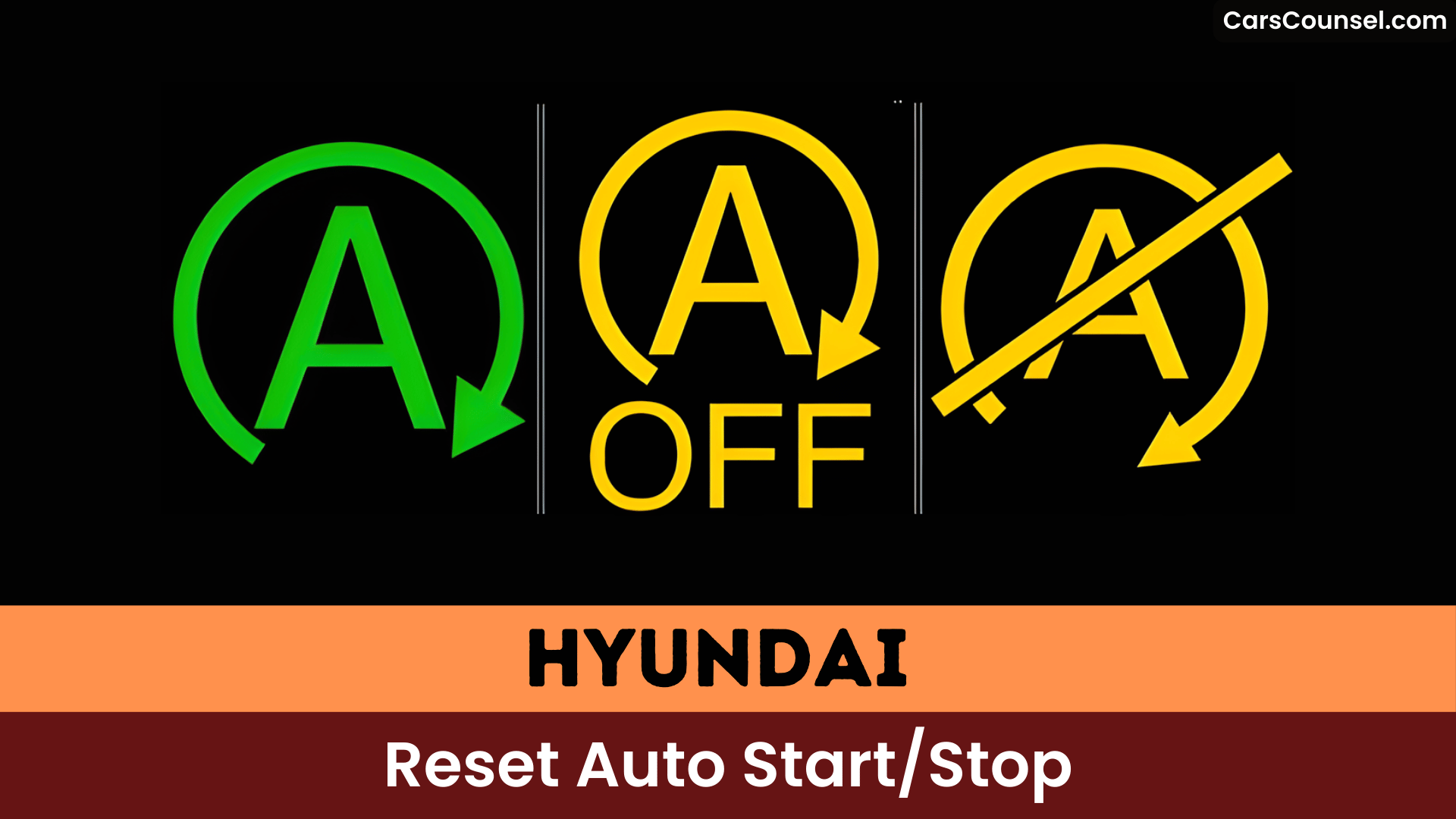
- Perform a test drive with full stops in Drive, verifying the green Auto Stop indicator activates.
Monitor for proper operation; if issues persist, inspect battery health or electrical systems.
Checking for Diagnostic Trouble Codes and What They Might Mean
Connect an OBD-II scanner to your Hyundai’s diagnostic port to retrieve Diagnostic Trouble Codes (DTCs) that reveal auto start/stop issues.
Read and record codes; consult DTC definitions to map codes to systems (battery, sensor, software) and note pending vs. stored status.
If you see battery-related codes (e.g., low voltage P0562), inspect state-of-charge/health and terminals.
Use troubleshooting techniques: verify battery sensor calibration, recreate fault conditions, monitor live data, and check proprietary Hyundai codes with manufacturer software if generic scanner misses entries.
After repairs, clear DTCs and perform relearn/calibration procedures to confirm system restoration.
Dealer and Warranty Considerations for Persistent Failures
If your Hyundai’s auto start/stop system continues malfunctioning after basic resets, file a dealer warranty claim under the 5-Year/60,000-Mile New Vehicle Limited Warranty, which covers defects in materials or workmanship, including potential system components.
Schedule a service appointment where technicians perform a battery health check, as the battery often influences start/stop operation and may qualify for coverage if within the 3-Year/36,000-Mile period.
Reference any applicable Technical Service Bulletins during your visit to expedite diagnosis and repair.
Dealer Warranty Claim
- Record: note mileage, date/time, conditions and exact failure instances.
- Test: request battery condition and system diagnostics; obtain written results to avoid unnecessary charges.
- Escalate: if unresolved, file a corporate complaint with Hyundai including dealer reports and test data.
Battery Health Check
When you suspect persistent Auto Start/Stop failures, begin by performing a targeted battery health check using a calibrated digital multimeter and, if available, a conductance tester to record open-circuit voltage, resting voltage after a 15–30 second cranking event, and CCA/health percentage per the battery label or dealer report. You’ll log results, compare to OEM thresholds, and perform voltage monitoring and battery maintenance steps (clean terminals, secure mount, BMS registration) before warranty escalation. If failures persist and vehicle is under warranty, pursue dealer claim for AGM replacement; reference TSBs that adjust cutoff and submit conductance logs.
| Test | Acceptable | Action |
|---|---|---|
| Open-circuit V | 12.6–12.8V | Charge/retest |
| Resting V post-crank | >12.0V | Inspect starter |
| CCA/Health | ≥70% | Replace if low |
| Conductance | OEM spec | Log for dealer |
| BMS reg | Completed | File claim |
Temporary Workarounds: Using the Disable Button and Driving Modes
Follow these steps for effective management:
- Press disable button immediately after ignition to halt auto start stop activation per drive cycle.
- Select driving modes like Sport or Comfort, which automatically disable the feature without button use.
- Avoid Smart mode, as it enables auto start stop for fuel efficiency, though it may revert unexpectedly.
Strategically use driving modes based on conditions; re-disable if inconsistent behavior occurs.
Permanent Solutions: Autostop/Start-Stop Eliminator Devices
Although the Autostop/Start-Stop Eliminator looks simple, you’ll follow a concise, repeatable procedure to install it and permanently disable the auto start-stop function.
Locate the OBD-II port or designated harness under the dash; unplug the factory connector. Plug in the device, which memorizes your preference to keep auto start-stop off without toggling. Secure it with zip ties if needed; reassemble panels using basic tools—complete in minutes.
User experiences praise easy installs and flawless performance.
In device comparisons, it outperforms temporary buttons by remembering settings, maintaining warranty, remote start, and emissions compliance, backed by a 60-day guarantee.
Risks and Downsides of DIY Electrical Modifications
- Void warranties: Alterations compromise manufacturer protocols, nullifying coverage for electrical system failures.
- Induce malfunctions: Disrupt ignition, battery, and diagnostics, generating fault codes requiring pro service.
- Create hazards: Breach Hyundai’s engineering, causing unexpected restarts or performance issues needing intervention.
You’ll face recurring problems; pros recommend certified repairs.
Step‑by‑Step: Installing a Start‑Stop Eliminator on Hyundai Palisade
Start by removing the center console trim around the Auto Start‑Stop button using a trim‑wedge and soft pry tool to expose the switch harness.
Plug the plug‑and‑play module inline with the switch connector (or wire the button resistor when using a hard‑wired button) orienting the module so the coil/sensing lead matches the harness orientation shown in the manufacturer instructions.
Secure the module and excess wiring with the included hold‑down or zip tie and tuck the assembly under the trim before re‑seating the panel.
Wired Button Resistor
- Identify the white 12-pin plug at pin 1 on the start-stop button switch.
- Connect the device’s wiring harness securely to the vehicle’s harness, snapping connections into place for a firm fit.
- Reattach the panel, reconnect the battery, and test by starting the vehicle to verify the feature stays disabled.
The device retains preferences post-shutdown, preventing manual reactivation.
Plug‑And‑Play Module
Remove the shifter trim by hand, expose the Start/Stop switch assembly, and unplug the factory 12‑pin connector at the rear of the switch to access the harness you’ll be interrupting. Install the plug‑and‑play module inline between harness and switch; you’ll hear a click when seated and secure the module with the supplied zip tie for vibration resistance (installation tips). The device remembers your preference, permanently disabling auto start‑stop without driver input and maintaining remote start and warranty (plug and play benefits). Test ignition cycles to confirm saved state and reattach trim.
| Step | Action |
|---|---|
| 1 | Remove trim |
| 2 | Unplug connector |
| 3 | Insert module |
| 4 | Secure & test |
Trim‑Wedge Hold-Down
- Peel trim edge, insert wedge behind bezel, seat firmly to maintain alignment and protect clips.
- Install Start‑Stop Eliminator module, route wiring, confirm plug‑and‑play connection remembers the disabled start‑stop setting.
- Remove wedge, reseat trim, test shifter and auto start‑stop to confirm trim‑wedge benefits and consistent operation.
Reporting Feedback to Hyundai and Requesting a Software Change
When you want Hyundai to change Auto Start/Stop behavior, provide concise, documented feedback and a clear software request: identify your vehicle VIN, model year, firmware/software version (if shown on the infotainment or service menu), and describe the problem as a reproducible behavior (for example, “Auto Start/Stop resets to ON at each ignition cycle despite pressing the disable button”); include logs or photos of the dashboard indicator and the exact steps to reproduce the issue so engineers can replicate it.
| Channel | Purpose | Action |
|---|---|---|
| Recordable feedback | Attach VIN, logs | |
| Phone | Immediate escalation | Request case number |
| Dealer | Diagnostics | Ask for TSB entry |
| Forum | Customer advocacy | Collect signatures |
| Social | Public visibility | Tag Hyundai support |
When to Consult a Certified Technician or Electrical Specialist
If basic checks (battery state-of-charge, infotainment/service-menu software version, and user-reset attempts) don’t restore consistent Auto Start/Stop behavior, have a certified technician or electrical specialist perform a step‑by‑step electrical diagnosis so you can avoid wasted parts replacement and intermittent failures.
- Technician: verify battery SOC/SOH, charging system voltage, and perform battery sensor recalibration if battery was disconnected or recharged.
- Electrical specialist: inspect wiring harnesses, grounds, and sensor signal integrity for faults or corrosion affecting ISG logic.
- Diagnostic steps: read fault codes, monitor live CAN signals, and confirm software calibration/firmware versions before replacing components.
Frequently Asked Questions
How to Reset Start-Stop System?
Disconnect your Hyundai’s battery for several minutes to reset the start-stop functionality. Reconnect, then cycle ignition on/off once. Check battery voltage (>12.5V); if low, recharge. Perform reset procedure via infotainment: Setup > Cluster > AUTO STOP elapsed time.
Where Is the Hyundai Reset Button?
There’s no universal Hyundai reset button; Hyundai reset is usually a menu or dash control, not a physical button location. Check the infotainment or vehicle settings, or press the ISG/auto stop toggle on the center console.
How to Permanently Turn off Auto Stop on Hyundai?
You can’t permanently disable auto stop via system settings on Hyundai vehicles. Press the ISG Off button each start to deactivate it temporarily. Install an Autostop Eliminator device or use Sport mode for persistent disable.
Why Is My Auto Start-Stop Not Working?
Hypothetical: a taxi’s ISG failed after a weak battery; you check battery voltage, sensors, and ISG status then follow troubleshooting tips step-by-step: measure voltage, recalibrate battery sensor, inspect connections, test under warm conditions.
Conclusion
You reset Hyundai’s Auto Start-Stop by shifting to DRIVE, depressing the brake fully, and disconnecting the battery for minutes, then reconnecting once voltage hits 12.5 volts. Picture your engine humming steadily like a vigilant sentinel, free from erratic halts. Verify driving modes, run sensor diagnostics if glitches persist—don’t risk DIY shocks frying circuits. Consult technicians for precision, ensuring seamless restarts every stop.

