Imagine your Volkswagen idling silently at a light, only for the auto start/stop system to falter unexpectedly. You check the battery voltage with the trip reset button while the engine runs, then restart to clear glitches.
Confirm coolant temperature’s ideal too. But what if sensors or wiring hide deeper faults?
Quick Navigation
Key Takeaways
- Check battery voltage using trip reset button; charge if below 12.1V, replace if under 11V.
- Restart vehicle to clear temporary Auto Start/Stop errors.
- Ensure engine reaches normal operating temperature for reactivation.
- Verify sufficient battery charge after short trips to re-enable system.
- Use VCDS or professional diagnostics to read and clear fault codes.
Understanding How Volkswagen Auto Start/Stop Works
Volkswagen’s Auto Start/Stop system automatically shuts off your engine when you stop in traffic, boosting fuel efficiency and cutting emissions.
You’ll get Auto Start/Stop benefits through reduced idling and lower fuel use, and the System reactivation process restarts the engine as soon as you release the brake or press the accelerator.
The system only operates when conditions are met, engine temperature, sufficient battery voltage (typically above about 7.6V), closed doors, seatbelt fastened, and not in reverse. It may disable itself if the battery’s low or temperatures are extreme.
You can temporarily turn it off with the dash button.
Common Reasons the Start/Stop System Is Disabled
Your Volkswagen Auto Start/Stop system disables itself for safety and performance when battery voltage drops below 7.6V, as low charge prevents reliable restarts.
Volkswagen disables Auto Start/Stop when battery voltage falls below 7.6V to ensure reliable restarts and safety.
Extreme temperatures strain the battery’s capacity, causing temporary deactivation, while the engine needs to reach operating temperature, often blocked by a faulty coolant sensor.
Short trips don’t recharge the battery fully, disabling the system; overheated batteries or alternator issues trigger errors needing diagnostics.
Common misconceptions claim it’s always a fault—you’ll see it in user experiences on forums.
Check conditions first before assuming failure.
Checking Battery Health and Voltage Requirements
When the Start/Stop system disables for low charge or temperature-related reasons, the next step is to check the battery’s state and voltage so you can tell whether the battery itself is the limiting factor.
Use the trip reset button to diagnose battery state; it flags issues if voltage drops below 7.6V. Monitor voltage with voltage monitoring techniques—aim for 11.5-12.5V normally, as short trips or extreme temperatures drain it fast.
Apply battery maintenance tips: charge if below 12.1V, load test regularly, and replace if under 11V during driving to guarantee reliable operation.
Engine and Coolant Temperature Effects on Start/Stop
Your Volkswagen’s Auto Start/Stop won’t engage until the engine reaches its operating temperature, as this guarantees reliable restarts. Check the coolant temperature sensor if it still fails to activate, since a faulty one sends misleading signals that disable the feature and trigger errors. Low coolant levels also skew temperature readings, further preventing the system from working.
Engine Temperature Requirement
A properly warmed engine is essential for Volkswagen’s Auto Start/Stop to operate reliably, so the system waits until coolant and engine oil reach an operational temperature (commonly around 176°F / 80°C) before allowing stops to occur.
You’ll rely on temperature monitoring and engine efficiency: if the coolant temperature sensor reads incorrectly, Start/Stop may stay disabled even when warm.
Extreme low or high engine temps will prevent stops to protect performance. Battery voltage and fluctuations also matter for reliable engagement.
| Condition | Effect on Start/Stop | What to check |
|---|---|---|
| Cold engine | Disabled | Coolant temp sensor |
| Overheat | Disabled | Cooling system |
| Low voltage | Disabled | Battery/voltage monitoring |
Coolant Sensor Faults
Volkswagen’s Auto Start/Stop system depends on accurate coolant temperature readings, so a faulty sensor keeps it disabled even on a warm engine.
You’ll see persistent Start/Stop warnings when the ECU doesn’t detect required operating temperature, and extreme ambient conditions can worsen readings and disable the system.
Check coolant maintenance first — proper level and condition help sensors report correctly.
If symptoms persist, have the coolant temperature sensor tested and consider sensor replacement to restore reliable Start/Stop operation.
Addressing sensor faults promptly prevents unnecessary system disablement and recurring error messages.
Sensor and Electrical Faults That Trigger the Error
Check your sensors for faults, like a malfunctioning coolant temperature sensor, which can prevent the Auto Start/Stop system from operating by blocking the engine’s required temperature.
Inspect corroded electrical connections, as they cause voltage drops below 7.6V that disable the feature, often showing intermittent errors hard for dealerships to replicate.
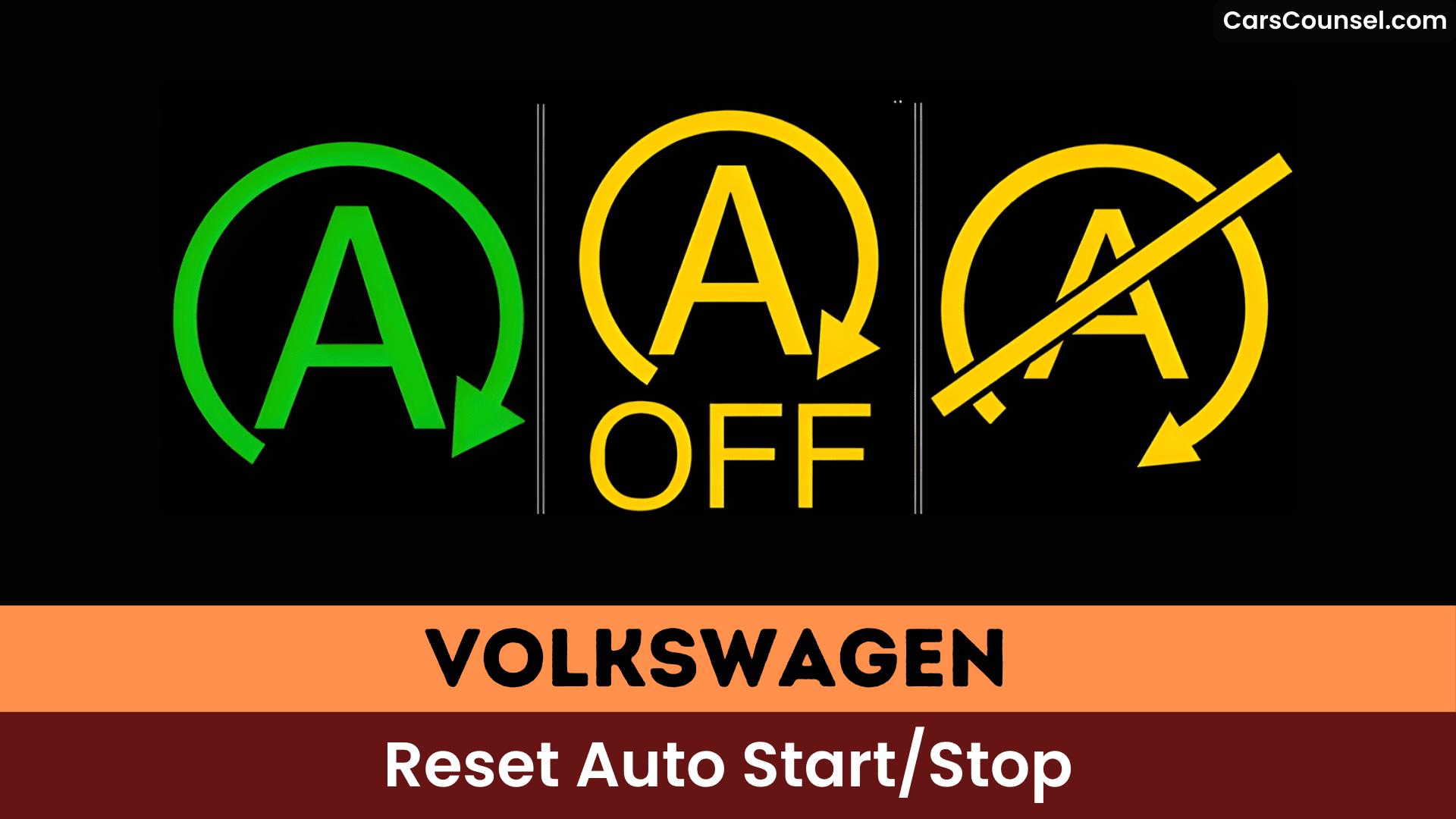
Examine the wiring harness for damage, since electrical faults and poor connections trigger dashboard warnings like a crossed-out symbol.
Faulty Sensor Detection
When sensors or electrical components start sending incorrect readings, the Auto Start/Stop system can disable itself or behave unpredictably, often leaving you with an “Auto Stop Standby” or similar message.
You should check coolant temperature and voltage sensors first, since a cold-engine reading or battery voltage below about 7.6V will prevent Start/Stop from engaging.
Intermittent alternator or weak battery issues can also trigger the message by dropping available power.
Use diagnostic tools such as VCDS to read fault codes and perform sensor calibration and adaptations; accurate readings usually restore normal Start/Stop operation.
Corroded Electrical Connections
Corroded electrical connections disrupt communication between your Volkswagen’s auto start/stop sensors and the vehicle’s computer, triggering error messages and malfunctions.
Corrosion commonly forms on battery terminals and sensor connectors (for example the coolant temperature sensor), which can prevent the system from operating and cause intermittent faults requiring diagnostic testing.
Regular electrical maintenance — visual inspection, cleaning terminals, and tightening connectors — will reduce failures and false error messages.
Use dielectric grease on cleaned connections for corrosion prevention and moisture protection.
If sensors remain faulty after cleaning, run diagnostics to identify and replace defective or corroded sensors.
Wiring Harness Damage
After cleaning and protecting connectors you still might run into wiring harness damage, which can interrupt sensor signals and cause the Auto Start/Stop system to throw errors.
Electrical faults like short circuits or corrosion in the harness lead to erroneous sensor readings for battery voltage or engine temperature, preventing accurate assessments.
Damaged wires or poor connections trigger malfunctions by disrupting communication between key components.
Perform regular wiring inspection to spot wear and tear early, avoiding intermittent issues.
You’ll restore proper function through timely harness repair or replacement.
Intermittent Software Glitches and ECU Resets
Intermittent software glitches disrupt your Volkswagen’s Auto Start/Stop system, triggering dashboard error messages that you’ll need to reset for normal operation.
You can often clear transient software-related errors by restarting the vehicle, which acts like a quick tech reset and may restore Start/Stop function. If faults persist, the ECU may require a software update or a reset performed by a dealer or with diagnostic tools.
Regular diagnostics help pinpoint causes and prevent recurrence.
> Regular diagnostics help pinpoint causes and prevent recurrence.
- Restarting the vehicle can temporarily clear error messages.
- Dealers often perform ECU resets or software updates.
- Use VCDS or similar diagnostics to read fault codes.
- Persistent faults may need ECU reprogramming.
Diagnostic Steps You Can Do Before Visiting a Dealer
If you want to troubleshoot Start/Stop yourself before booking a dealer visit, begin with quick, low‑risk checks that often reveal the cause or clear a temporary fault.
Check the battery voltage — Auto Start/Stop functionality can be disabled below about 7.6V, so charge or replace a weak battery first.
Restart the car to see if the error clears, and use the trip reset button to view battery state of charge.
Verify the engine has reached normal temperature since a bad coolant temperature sensor can block Start/Stop.
If unresolved, perform deeper Diagnostic tool usage (e.g., VCDS) to read codes.
When to Use Professional Diagnostics or VCDS Tools
When a quick restart, battery check, and visual inspection don’t clear the Start/Stop fault, it’s time to use professional diagnostics or a VCDS scan to find and clear persistent or coded issues.
You’ll use diagnostic tools to read and clear fault codes and get deeper data on battery health, coolant sensors, and system parameters.
Professional diagnostics can reveal software or coding glitches that simple resets miss. If errors recur or coincide with other issues, consult a technician for comprehensive checks and repairs.
- Read and clear fault codes with VCDS using diagnostic tools.
- Check battery state and charge management.
- Test coolant and related sensors impacting Start/Stop.
- Diagnose software/coding and module communication faults.
Temporary Workarounds and Safe Practices While Driving
While you’re driving and the Start/Stop fault pops up, use simple, safe steps to keep moving and reduce repeat faults: restart the engine and let it run a short time to allow systems and the battery to stabilize, avoid frequent short trips that don’t let the battery fully recharge, monitor battery voltage (the system may disable below about 7.6 V), and use the trip-reset test to check charge status.
If errors persist, wait a few minutes before restarting or pull over safely and run a brief battery/visual check before continuing.
These temporary workarounds and safe practices often resolve issues short-term without tools.
After-Repair Checks: What to Watch For Post-Service
After service, keep a close eye on the dash and drive a few controlled trips to verify the Auto Start/Stop stays inactive or returns to normal operation.
Monitor the dashboard for any recurring Auto Start/Stop error messages and note when they appear.
Check battery voltage — a drop below 7.6V can trigger failures and needs attention.
Watch engine temperature; a faulty coolant temperature sensor can block start/stop operation.
Use diagnostic tools like VCDS or other diagnostic tools to scan for lingering codes and verify adaptations.
Do several short trips to ascertain battery charge stabilizes and the system resets properly.
Coding, Customization, and Permanently Disabling Start/Stop
You can customize or code Volkswagen’s Auto Start/Stop feature using tools like VCDS or OBD11, though newer models like the Golf 8 often limit or block direct disabling to preserve emissions compliance.
You can attempt coding for user preferences with diagnostic tools or apps, but newer ECUs may prevent long‑coding or require access to SFD, and doing so can affect warranty or trigger error messages.
Aftermarket solutions — from simple memory modules to engine eliminator cables for VW Atlas — offer permanent disabling but carry risks to battery systems and diagnostics.
Community reports on responsiveness vary, so weigh trade‑offs carefully.
Owner Experiences and Common Dealer Responses
Volkswagen owners frequently report that resetting the Auto Start/Stop system clears error messages temporarily, but the problems often recur, pointing to underlying issues.
You’ll often face owner frustrations when a reset at home or the dealer silences a fault only for it to return shortly after.
Dealer inconsistencies show in diagnostics: some technicians can’t reproduce errors and tell you to consult the owner’s manual, while others suggest battery checks or software updates.
You can expect mixed results from simple resets versus deeper fixes.
- Recurring errors after resets
- Dealers unable to replicate faults
- Battery or software suggested fixes
- Warranty frustration and inconsistent outcomes
Recommended Maintenance to Prevent Future Start/Stop Errors
Regularly check your battery charge to keep it above 7.6V, since low voltage disables the Auto Start/Stop feature.
Check battery health regularly and replace AGM/EFB batteries when capacity drops to prevent Start/Stop deactivation; include battery tests in your maintenance tips.
Monitor engine coolant temperature and repair faulty temperature sensors as a preventative measure to avoid system lockouts.
Inspect the alternator and wiring routinely to catch transient electrical faults that trigger Start/Stop errors.
Use a quality fuel system cleaner periodically to reduce injector-related stuttering.
Follow manufacturer service intervals, perform software updates, and log preventative measures for consistent reliability.
Frequently Asked Questions
How Do I Reset My Start-Stop System?
Turn off your engine, wait a moment, then restart to reset the start-stop functionality. Check battery voltage above 7.6V for system maintenance; hold trip reset button with ignition off if needed.
How to Fix Error Start-Stop Volkswagen?
Check battery voltage and health first, then try a battery disconnect or restart to clear temporary errors; use VCDS/diagnostic scan for fault codes and adaptations, verify coolant/temp sensor and ECU adaptations per troubleshooting tips.
What Would Cause an Auto Start-Stop Not to Work?
Like a drained phone refusing to vibrate, your auto start-stop won’t work if battery health dips low or a sensor malfunction occurs. Check voltage, guarantee the engine’s warm, and verify no error codes block it.
How to Deactivate Start-Stop on VW?
Press the Start‑Stop button each ignition to disable it, or install a VW‑specific eliminator cable or use VCDS coding for a more permanent change; weigh start stop benefits versus start stop drawbacks before modifying.
Conclusion
You can usually reset Volkswagen’s Auto Start/Stop by ensuring the engine’s running, checking battery voltage via the trip-reset button, and restarting the car to clear temporary faults; confirm engine/coolant temperature and other system conditions are met so the feature can re-engage. For example, after a long commute Sarah pressed and held the trip reset, saw low voltage, charged the AGM battery overnight, restarted the car, and the Start/Stop light stopped showing “unavailable,” saving her daily fuel and frustration.

